Language Access vs Accessibility: What Churches and Events Mix Up
The planning meeting uses one word for two jobs. Someone says “we need to be accessible,” and the team adds English captions. A family that thinks in Spanish still sits through an hour they cannot follow. Or the reverse: live translation runs in three languages, and a Deaf member still has no way to receive the room.
Those are not two versions of the same problem. Accessibility (in the usual U.S. legal sense) is about effective communication for people with disabilities. Language access is about people who can hear the room but cannot follow the language it is spoken in. Mixing them up wastes money and leaves someone out while the checklist looks finished.
This is a decision guide, not a setup tutorial and not legal advice. The question is which job you are actually hiring for—and when you need both.
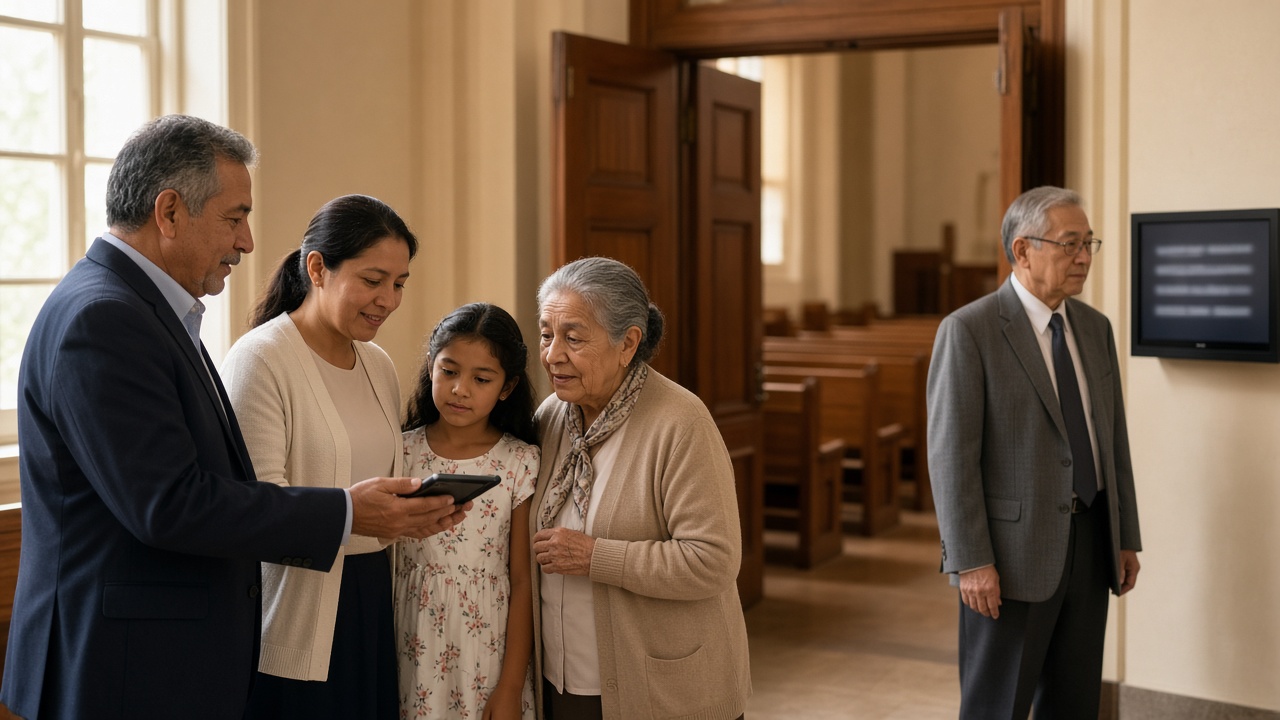
Two jobs that share a lobby
Picture a Sunday or a conference registration table. Two people ask for help.
The first person hears poorly, or not at all. They need the spoken hour turned into something their ears or their eyes can use: a qualified sign language interpreter, real-time captions they can read, an assistive-listening system, or large print. The U.S. Department of Justice’s effective communication guidance describes this job under the Americans with Disabilities Act (ADA). It is about vision, hearing, and speech disabilities.
The second person hears every word. They cannot follow the sermon, the keynote, or the Q&A because the words are in a language they do not think in. They need interpretation or translation—spoken, written, or both. That is language access. For most churches it is hospitality. For some funded schools, nonprofits, and public meetings it can also be a civil-rights issue.
An English caption screen can serve the first person and still fail the second. A Spanish audio feed can serve the second and still fail the first. One tool in the plan means one job hired.
What accessibility actually covers
Under the ADA, Title II (state and local government) and Title III (businesses and many nonprofits that serve the public) must communicate as effectively with people who have communication disabilities as they do with everyone else. The DOJ’s guidance is explicit about the toolkit: qualified sign language interpreters, real-time captioning (including CART), assistive listening, large print, Braille, and other auxiliary aids. The right aid depends on the length and complexity of the communication and on the person’s usual method of communication.
Two details planners skip.
Sign language is not a caption setting. An interpreter is effective for people who use sign language. Many people who are deaf or hard of hearing do not use ASL. They may want captions in the language they read. The DOJ says this plainly: sign language interpreters help people who use sign language; other methods are needed for people who lost hearing later in life and do not sign.
English captions are still English. Live transcription helps a Deaf or hard-of-hearing attendee who reads English. It does not become language access because the text is on a screen. If you are building captions for hearing access, start with real-time captions for deaf and hard-of-hearing attendees. If you are choosing a shared screen versus phones, that is a display question—see presentation screen vs personal devices—not a substitute for deciding which job you are doing.
Religious organizations are generally exempt from ADA Title III. The ADA National Network’s guidance on religious entities says places of worship—and programs they control—are not Title III public accommodations, even when an event is open to the public. A hotel ballroom or conference center usually is covered. A church sanctuary usually is not. Exemption is not “nobody needs captions.” It only means the public-accommodation rule is not forcing the decision.
This is not a compliance opinion for your venue. If you run a public event in a covered space, ask counsel or the venue what Title II or Title III requires. The planning point still holds: ADA-style accessibility is a disability job.
What language access actually covers
Language access is for people who are not missing the sound. They are missing the language.
The Census Bureau’s Language Use in the United States: 2019 report found that 67.8 million people age 5 and older spoke a language other than English at home—about 22 percent of that population—and that about 8 percent spoke English less than “very well.” Spanish was the largest non-English language (about 42 million speakers). Those numbers describe communities, not your attendance. They are enough to retire “we don’t really have a language problem here” in most metro rooms and many suburban ones.
For churches, language access is usually hospitality, not a statute. Guests who cannot follow the hour rarely come back; see Why Church Visitors Don't Come Back When They Can't Follow the Service. A Spanish service and an overlay on the English hour are different ministries—see Spanish Service vs Live Translation. Neither is an ADA caption plan.
Organizations that receive federal financial assistance still sit under Title VI of the Civil Rights Act of 1964, which prohibits exclusion because of race, color, or national origin. Federal LEP implementation guidance has been in flux since 2025: Executive Order 14224 revoked Executive Order 13166, and the Department of Justice rescinded its 2002 recipient memo while reminding recipients that Title VI still applies and that denial of language assistance can, in some circumstances, be evidence of discrimination. If you run a funded school program, town hall, or nonprofit service, treat the old memo’s disappearance as a reason to ask counsel—not as permission to ignore people who cannot follow English.
Most conference organizers are not writing a Title VI plan. They are trying not to lose international attendees or a bilingual local audience. The job is still language access. Captions in the speaker’s language do not do it.
Where the tools overlap—and where they fail
Use this as a filter, not a shopping list.
English live captions / transcription. Strong for people who can read English and cannot hear the room well, and useful in a noisy hall. Weak for anyone who does not read that language. A shared caption screen can also fail people who need a private, larger, or translated view.
Translated captions or translated audio. Strong for listeners who hear fine and think in another language. Weak as a stand-in for ASL. Weak for a Deaf attendee who needs English captions and does not want a second-language voice in their ear. Weak for pastoral counseling, membership interviews, medical, or legal conversations that need a qualified human.
A qualified sign language interpreter. Strong for Deaf attendees who use that sign language. It does not translate Spanish, Korean, or Vietnamese for hearing guests. It is not “the interpreter” for the whole multilingual room.
An FM or assistive-listening system. Strong for volume and clarity. It does not change the language.
A bilingual volunteer whispering in the pew. Strong for one guest and one language, briefly. Fragile as a weekly sanctuary plan or a 400-person ballroom plan—especially if that person is also supposed to worship or watch their kids. Weigh a human against AI for a given hour in Live Translation vs Human Interpreter. That page is about how to do language access, not whether captions already finished the job.
The useful overlap: one clean audio feed can produce English captions for hearing access and translated captions or audio for language access. That is not one checkbox for both audiences. Offer the outputs people need, and still hire a human for sign language, high-stakes talk, or pastoral care.
A decision filter for Sunday and the conference floor
Ask four questions before you buy anything.
1. Who cannot hear the room as speech?
List Deaf attendees, hard-of-hearing members, and anyone who already uses captions or ASL. Their need is accessibility. Budget for the method they use—not the method that is easiest to project on a screen.
2. Who can hear but cannot follow the language?
List households, international guests, and staff who think in another language. Their need is language access. Count languages, not “diversity” in the abstract.
3. Who needs a qualified human?
ASL. Counseling. Membership or immigration interviews. Medical or legal content. A platform interpreter you hired for nuance on a single high-stakes keynote. Do not replace those people with a caption overlay.
4. Who can use a phone overlay for the public hour?
If the remaining need is “one speaker, many listeners, several languages, this Sunday or this session,” a broadcast live-translation session is built for that pattern. That is the live sermon translation and live event translation model: one host, a QR code or link, each person picking a language.
Two hypothetical rooms—examples, not customer stories.
A mid-size English-speaking church has a hard-of-hearing elder who reads English captions and two households that need Spanish, plus a grandmother who needs Korean. Side-screen English captions help the elder and do nothing for the grandmother. Phone overlay can help the households and still give the elder a large-text English transcript. ASL is a separate ask if a Deaf signer visits.
A regional conference books a hotel ballroom (often a Title III space), adds open English captions, and calls the event accessible. International attendees still need the keynote in other languages. The captions were the right accessibility move. They were not language access.
What live transcription and translation can do—and what they must not claim
Hope Translator is built for live transcription and translation of speech—on the web and in the mobile apps—with broadcast (one speaker → many listeners) and solo / conversation (one-to-one) modes. Attendees join with a QR code or link and do not create an account. Listeners can read captions, listen to an AI voice, or both, and pick from 44 output languages on a session (plans set how many languages can run at the same time).
That design can serve both jobs in the same hour when you need source-language captions plus translated text or audio. It is a next step after you have named the two jobs. It is not an ASL interpreter, a certification, or a way to become “ADA compliant” or “Title VI compliant.” It does not belong in counseling, membership interviews, or other conversations that should never have been added to a caption overlay.
If you only need hearing access in English, transcription may be enough. If you only need another language in a mixed-family pew, translation is the job. If you need both, use one session that can output both—and still hire the human for the work software should not do. Current plans are on the pricing page.
Name the job, then pick the tool
If the person in front of you cannot hear the room, you are in an accessibility conversation. If they can hear and cannot follow the language, you are in a language-access conversation. Many Sundays and many events have both people in the same lobby.
Do not let one word on a planning slide hire for only one of them. Answer the four questions, hire a human where a human is the point, and use live transcription and translation when one speaker should reach many listeners in more than one language.
Ready to run a session that can offer captions and language choice in the same hour? Start at hopetranslator.com or compare plans on pricing.