Listen to Live English to Japanese AI Translation
Hope Translator turns live English speech into Japanese in real time—so you can read the translation on a screen or listen to it in natural-sounding AI voice in your browser or on your phone. No app download is required to listen on the web. Whether you run a church with Japanese-speaking congregants, host events for international audiences, or need English-to-Japanese translation for meetings or family, this guide shows you how to listen to live English to Japanese AI translation.
Why Listen to Live English–Japanese Translation?
Real-time English to Japanese AI translation makes it possible for Japanese-speaking audiences to follow along without a human interpreter. You get:
- Inclusion – Japanese speakers can participate fully in sermons, presentations, and events delivered in English.
- Flexibility – No need to book or coordinate human interpreters; the AI handles translation as the speaker talks.
- Choice – Listeners can read the translation (web or mobile) or hear it in AI voice on the web or in the app—no download required to listen on the web.
English to Japanese is a common language pair for live translation in international churches, conferences, universities, and community events. Listening to the translation in Japanese—instead of only reading—often helps comprehension and keeps attention during longer talks, especially for listeners who are more comfortable with spoken Japanese.
How to Listen to Live English–Japanese Translation
The host starts a broadcast (from the web or the mobile app) and speaks in English. As a listener, you join via the web or the app, choose Japanese as your output language, and tap or click Listen to hear the AI voice. No download is required—you can listen on the web in your browser.
Step 1: Join the broadcast
To try joining with sample audio and no live speaker, see How to Start a Demo Broadcast: Easy Steps.
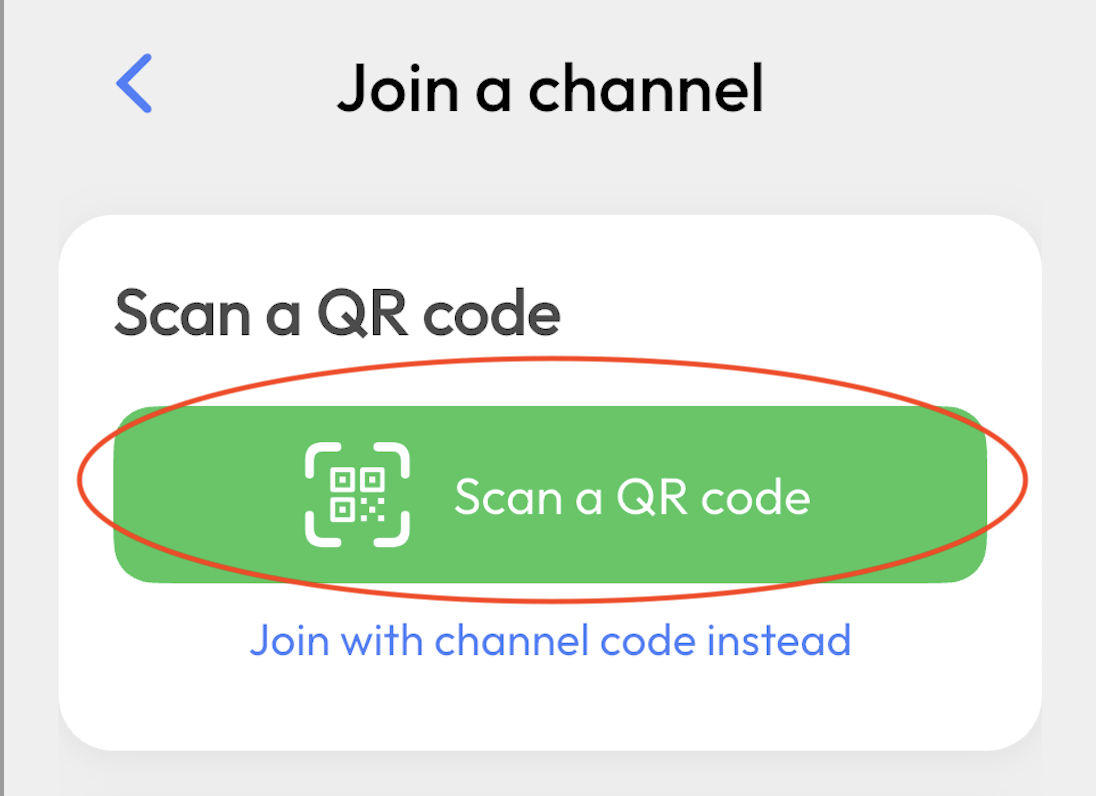
- On your phone, tablet, or computer, open the link the host provides (or scan the QR code with your phone’s camera to get the link).
- Open that link in your browser to join—no app download needed. Or, if you prefer, use the Hope Translator app (iOS or Android).
- You’ll be connected to the live English-to-Japanese translation channel.
Step 2: Choose Japanese
- In the viewer (web or app), set your output language to Japanese.
Step 3: Click or tap Listen
- Click or tap the Listen button to hear the live English to Japanese AI translation in natural-sounding voice. This works on the web and in the app.
- Give it a few seconds for the audio to start. Use headphones for a clearer experience.
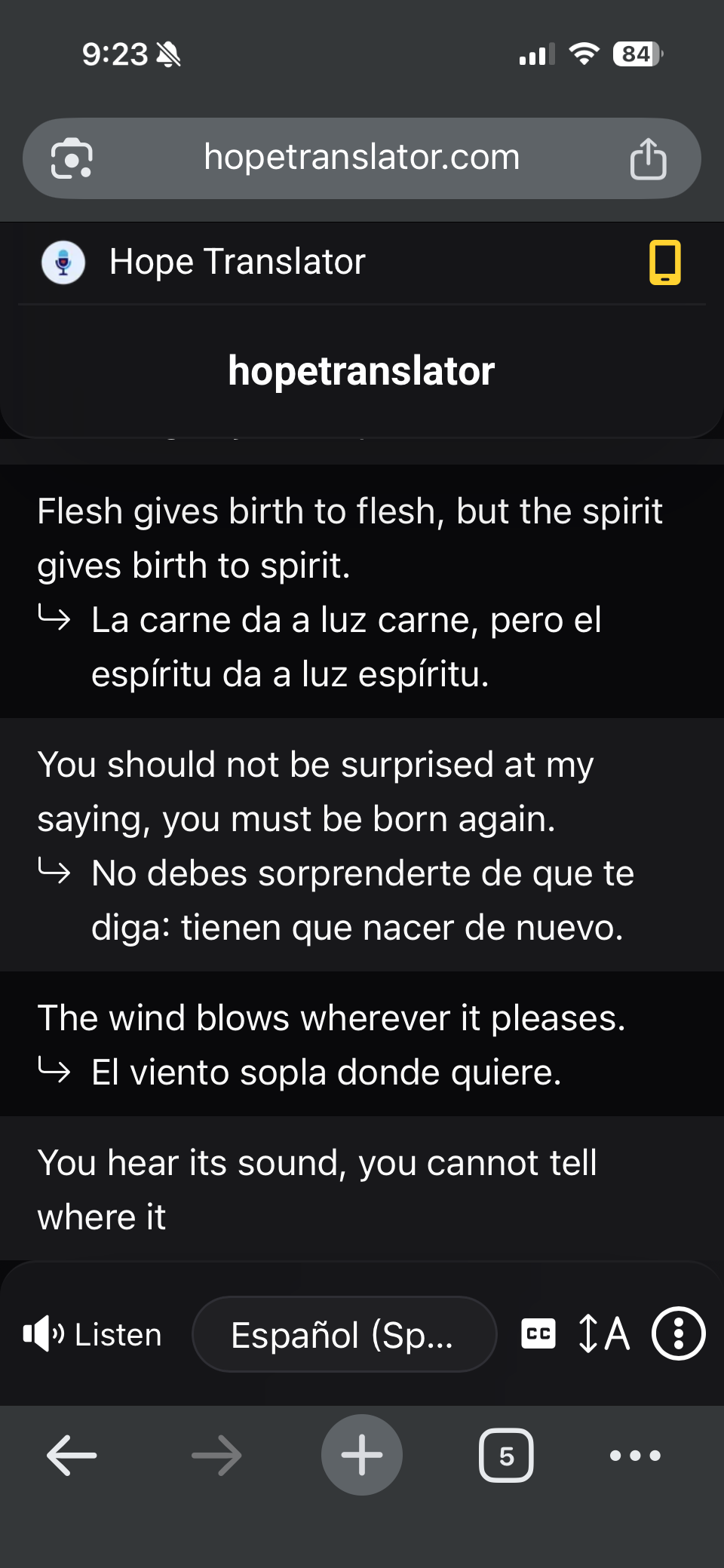
Once you’re connected, you get real-time text and real-time audio in Japanese as the speaker talks in English.
Read or Listen: Text and AI Voice
- Read – You can read the live English to Japanese translation on the web (viewer or overlay) or in the mobile app. No Listen button needed.
- Listen (AI voice) – The Listen feature (AI-generated human-like voice) works on the web and in the mobile app. No download required—open the broadcast link in your browser and click Listen to hear Japanese in real time.
For the full setup from the host’s side (web vs mobile broadcast, sharing the QR code, etc.), see How to Listen to Live Translation. For a comparison of mobile and web, see Mobile App vs Web App.
Best For: Churches, Events, and Multilingual Audiences
Live English to Japanese AI translation works well for:
- Churches and sermons – Reach Japanese-speaking congregants during an English sermon. Listeners can read on a screen or hear the sermon in Japanese in their browser or on their phone—no app download required. See Live Sermon Translation for more.
- Conferences and events – Offer live Japanese translation for keynotes, panels, and Q&A so Japanese-only attendees can follow in real time.
- Meetings and trainings – Include remote or on-site participants who prefer or need Japanese.
- Medical and community – Support patients or community members who understand Japanese better when they can hear the translation.
- Family and small groups – Use the web or mobile app to provide instant English-to-Japanese translation in conversations or small gatherings.
Tips for the Best English–Japanese Translation
- Clear audio in, better Japanese out – The host should use a good microphone and, when possible, feed Hope Translator from a mixer or soundboard. For details, see How to Get Accurate Transcription and Translation and How to Get Started with Live Translator.
- Stable internet – Both the host and listeners need a reliable connection for smooth real-time translation and audio.
- Test before the event – Use How to Test Live Speech Translation to run a trial with a video or a short practice talk.
Next Steps
- Try it – Visit hopetranslator.com and use demo mode to see and hear English to Japanese translation on the web—no download required.
- Listen on the web – Open any broadcast link in your browser and click Listen to hear live English–Japanese translation. No app download required.
- Set up a broadcast – Read How to Listen to Live Translation to configure web or mobile broadcast and share the QR code or link.
- Plan your audio – See How to Get Started with Live Translator for mic and setup options.
Conclusion
With Hope Translator, you can listen to live English to Japanese AI translation in real time—by reading on a screen or by clicking Listen on the web or in the app. No download is required to listen in your browser. Clear speaker audio and a stable connection help the AI produce accurate, natural-sounding Japanese. Whether for church, events, or everyday use, English-to-Japanese live translation is easy to set up and share with your audience.
Ready to get started?
- Try it free: Visit hopetranslator.com and use demo mode to test English to Japanese translation (no credit card required).
- Listen on the web: Open any broadcast link in your browser and click Listen—no download required. Or get the app for on-the-go listening.
- Learn to share translations: Read How to Listen to Live Translation to set up broadcasts and share with your audience.
- Need help? Check our FAQ or contact us for assistance.