What to Tell Speakers When Your Event Has Live Translation
The rehearsal looked fine. Captions landed. Spanish audio stayed a thought behind the keynote, the way live translation always does. Then the doors opened.
The speaker walked to the slide wall with a clicker. Floor questions never reached a microphone. A product video played through the house speakers and never entered the translation feed. People who had scanned a code at check-in sat through an English hour with a quiet phone. Production blamed the tool.
The tool did the job it was given. The speaker was never told there was a second audience.
This is a speaker brief, not a setup tutorial. Human booths and AI overlays fail in the same places: a mouth that leaves the microphone, a script that races, a panel that talks over itself. If you are still choosing whether to translate the rest of the day, start with what attendees miss when only the keynote is translated. The question here is what to put in the one-page note you send every presenter.
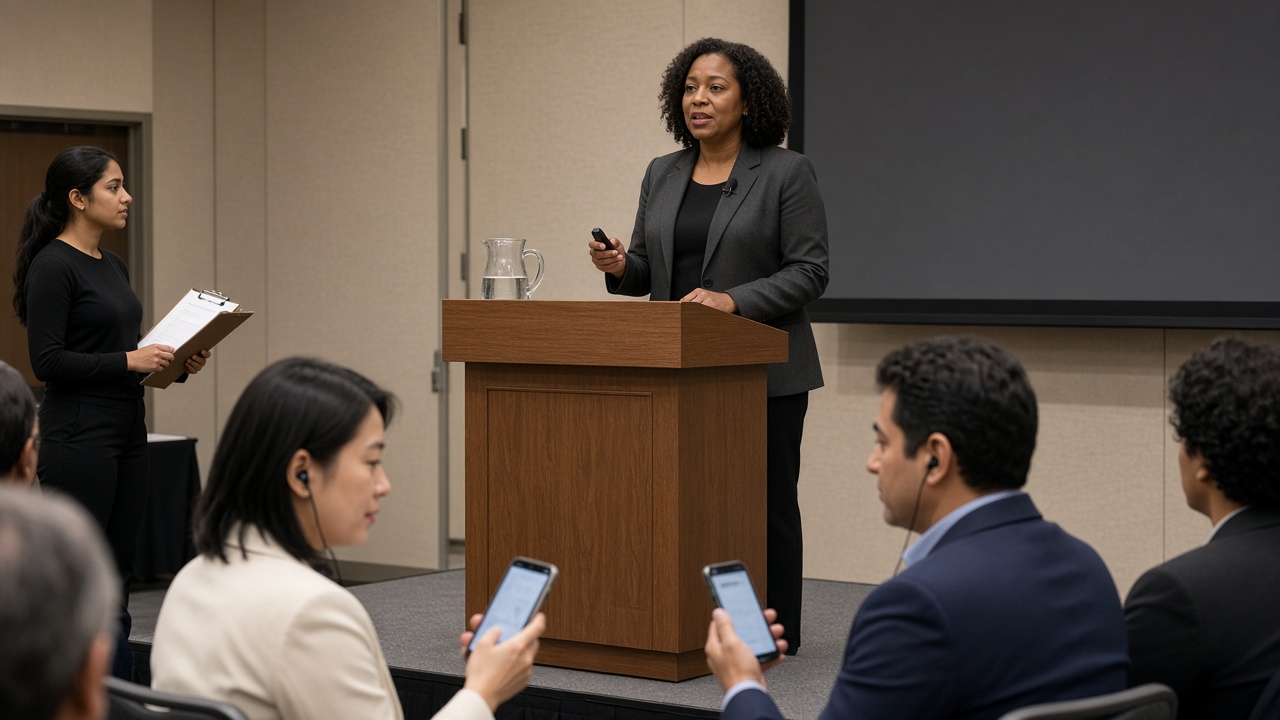
1. Tell them part of the room is not hearing their voice
Most speakers prepare for the faces they can see. They do not prepare for the people on a second channel—an interpreter in a booth, a volunteer with an FM pack, or a phone in the third row.
That is not a reason to single anyone out from the stage. “Those of you using translation” turns access into a spotlight. One sentence in the speaker brief is enough: this session is being interpreted or translated live. Stay on the microphone. Do not wait for a second voice after every sentence.
The last clause matters. Asking a keynote to pause after every paragraph turns simultaneous work into consecutive work and doubles the hour. The brief should protect the original runtime and the people who are a few seconds behind it.
Picture a regional summit—an example, not a customer story. The emcee already knows there is a Spanish channel. The invited analyst does not. She treats the lectern mic as optional once she has a clicker. The people who needed her talk most are the ones who lose it first.
2. If it is not in the microphone, it does not exist
The International Association of Conference Interpreters is blunt with speakers: without a microphone, interpreters cannot hear you, however loud you speak. AI live translation has the same ear. Recognition is only as good as the speech feed.
The usual leaks are not mysterious.
- Walking to point at a slide
- Turning to a co-panelist and dropping volume
- Answering a hallway question from the front of the stage
- Testing the mic by tapping it instead of saying a sentence
If they move, they need a lavalier. If they stay at the lectern, they still need to talk into it when they look at the screen. Knocking the capsule to “test” it only blasts whoever is listening to that channel. Say “good morning.” Then start.
This is the speaker version of a speech-only mixer feed. Production can isolate the vocal channel. Production cannot recover a sentence that was never spoken into a mic.
3. Reading is faster than talking—and that is the usual failure
A conversational keynote is usually fine. A script is not.
People speed up when they read. Interpreters have said this for decades. AIIC’s speaker guidance is specific enough to put in an email: allow about three minutes per page of 40 lines if you are reading, and pace the delivery beforehand if you have not spoken with interpretation before. The floor-language audience also loses the thread when a speaker races. The second channel just loses it sooner.
You do not need speakers to flatten the talk. You need them to finish a thought. Names, a turn in a story, a number on a slide—those need a beat after the sentence, not a stall before every sentence.
If a demo “fails” only on dense slides, the delay is not the bug. Time the densest page. If it does not fit, cut the page, not the languages.
4. Names, acronyms, and numbers get one full pass
The first time a product name, a ministry, or an agency appears, say it in full. Then the short form can land.
A human interpreter who received the slide deck on Thursday can recover “NPS” as Net Promoter Score. A system that only hears “en-pee-ess” has one chance. You do not need a polished script. A speaker list with pronunciations, a draft deck, and the expansions of the five terms on every slide are enough. Human booths need those materials as preparation. An AI overlay still benefits when the mouth says the expansion once, into the microphone.
Figures are the same job. “Fifteen” and “fifty” are close in a noisy hall. Say the number, then glance at the chart. Do not assume the people on earbuds saw the slide.
5. Videos, walk-ons, and remote guests are extra speakers
A recorded clip in the house mix is not automatically in the translation session. A founder on a laptop speaker is not automatically in the lectern feed. A surprise walk-on with a handheld is a new mouth.
Tell speakers to flag every voice that is not theirs: a product video, a remote panelist, a co-presenter who takes the last ten minutes. Production can then decide whether that audio has a path into the session. If it does not, say so. “The next two minutes are a brand film in English only” is better than a dead channel that looks like a failure.
Remote speakers need the same brief with a stricter mic: a real headset, not a laptop cavity; one open mic; a sound check from the room they will actually use.
6. Panels die when two people talk
A keynote is one mouth. A panel is a pile-up.
Overlapping speech is how Q&A becomes the first untranslated hour of an otherwise careful program. Two panelists finish each other’s sentences. A question comes from the floor without a mic. The moderator summarizes in the floor language and moves on. Anyone on a translation channel hears a blur, or hears nothing.
The speaker brief for a panel is shorter than a keynote brief, and stricter.
- One open microphone
- The moderator repeats every floor question into that microphone before anyone answers
- People finish a sentence before the next person starts
- Jokes that depend on talking over each other will not travel
That is the production-side match to the attendee problem: Q&A is where people stop being an audience. If the interesting part of the hour is the discussion, the discussion has to be as followable as the opening remarks.
A pastor who leaves the pulpit to take prayer requests in the aisle is running the same pattern. The handheld has to travel with the conversation, or the overlay stays in the empty pulpit.
7. A few seconds of lag is the system working
Speakers who have never been interpreted often try to “help” by waiting. They finish a sentence, look at a caption board, and stall until the other language appears. That trains the room to treat translation as a second performance. It also makes a 25-minute slot impossible.
The useful instruction is the opposite of freeze-and-wait. Do pause after a dense point so the second channel can finish the thought. Do not wait for captions after every clause. Do assume someone in the room is a few seconds behind you. Do not turn around and read the phone in the third row.
A short lag is how both human simultaneous interpretation and AI live translation protect meaning. Instant word-by-word output would be faster and worse. Put one sentence of that in the speaker note so a presenter does not conclude, mid-keynote, that the system is broken. The longer evaluation belongs in why live translation has a delay.
What this brief is not
It is not a request to flatten humor, theology, or technical depth. It is not a substitute for a qualified human when a missed nuance is legal, medical, diplomatic, or pastoral. Counseling, membership interviews, and contract negotiations still need a person. If you are weighing a human voice against an overlay for a given hour, start with live translation vs a human interpreter.
It is also not a software tutorial. Speakers should not be asked to host the session, share a QR code, or troubleshoot Wi-Fi. That is the event team’s job. The speaker’s job is to talk into a microphone at a pace a second audience can use.
Churches can send the same note in six lines: stay on the mic, do not race the manuscript, repeat announcements, let someone else handle the code at the door. Conference teams can paste the seven points into the speaker portal next to the AV rider. Either way, send it before the rehearsal, not during the apology.
Where live translation fits after the brief
Live translation is the overlay that makes a spoken hour followable. It does not replace a speaker who leaves the microphone, and it does not recover a video that never entered the feed.
Hope Translator is built for live transcription and translation of speech—on the web and in the mobile apps—with broadcast (one speaker, many listeners) and solo / conversation (one-to-one) modes. A stage manager or volunteer can host. Attendees scan a QR code or open a link, pick a language, and read captions, listen to an AI voice, or both. They do not create an account.
That is the right tool when the people who need another language are already in a room you are running: a keynote, a breakout, a Sunday sermon, a panel with one clear feed. Use broadcast for those rooms. Use conversation mode for the hallway question after the session. Use a qualified human for the conversations that should never have been added to a caption overlay.
For the wider event model, see live event translation. The brief above is the speaker layer of that model. Confirm current plans on pricing.
Send the note before the clicker
Walk last year’s recordings as a listener who does not think in the floor language. Did the speaker stay on the microphone? Did floor questions get repeated? Did anyone tell the presenter that lag is normal?
If the honest answers are no, you did not have a translation problem. You had an unbriefed speaker. Put the seven points in the portal. Then keep doing the work software cannot do: a moderator who repeats the question, a handheld that follows the aisle, and a host who starts the session before the first word.
Ready to run a session your speakers can actually support? Start at hopetranslator.com or compare plans on pricing.