Online Meetings and Live Translation: A Complete Guide
In today's digital world, online meetings have become essential for connecting people across different locations and languages. This guide explains how to use live translation effectively in your virtual meetings, whether you're using a smartphone, tablet, or computer.

The Power of Live Translation in Virtual Meetings
Hope Translator revolutionizes online meetings by providing instant, AI-powered translation and captions. Whether you're hosting a small team meeting or a large virtual event, our technology enables seamless communication across language barriers - no human interpreters or special equipment required.
For business meetings, having accurate transcription is vital. Some participants prefer to see the original transcription to ensure they catch every detail, while others need full translation into their native language. Hope Translator provides both options simultaneously, ensuring everyone can participate effectively.
New to Hope Translator? Learn how to test live speech translation with demo mode or your favorite YouTube videos to get familiar with the platform before your meeting.
Real-World Example: Global Business Meeting
One of our clients uses Hope Translator for their international business meetings:
- The meeting is conducted in English with participants from multiple countries
- Some team members prefer to see the original transcription for accuracy
- Others need full translation into their native language (Spanish, Mandarin, French)
- The host shares their Hope Translator screen during the meeting
- Transcription is vital - it ensures everyone can follow along and reference exact quotes
- Quick AI notes are generated automatically, capturing key decisions and action items
- After the meeting, participants export transcripts and AI summaries for follow-up
Setting Up Translation for Online Meetings
Not sure whether to use the mobile app or web app for your online meetings? Compare Hope Translator's mobile app vs web app to find the best solution for your needs.
Choose Your Device
Hope Translator works seamlessly across all your devices:
- Mobile App (iOS/Android): Perfect for on-the-go meetings, iPad support for larger displays, and access to advanced AI features
- iPad: Ideal for larger screen sharing with better visibility for participants
- Web App: Great for desktop setups with Loopback audio routing
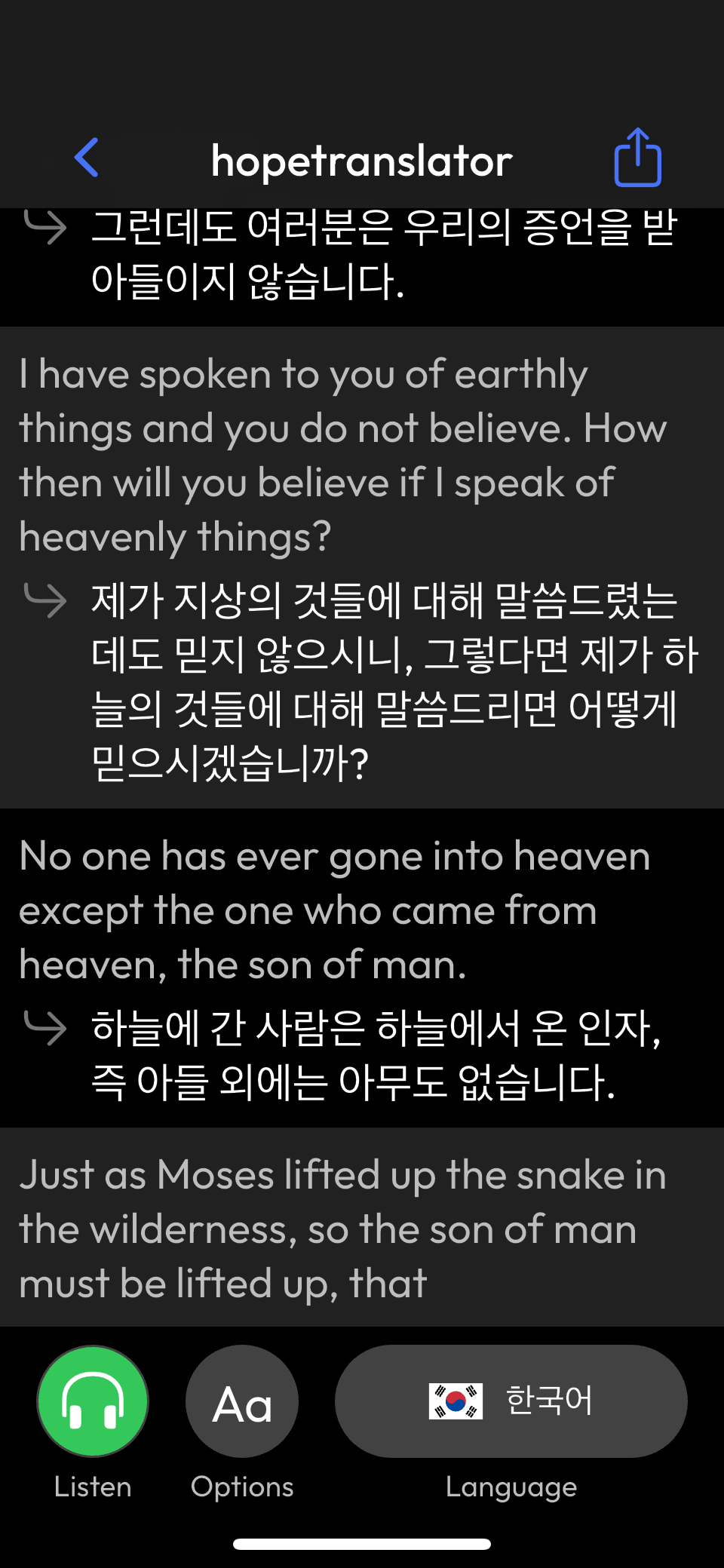
Using with Video Conferencing Platforms
-
For Zoom or Google Meet:
- Use Loopback to capture audio from your meeting
- Select the Loopback virtual device in Hope Translator
- Share your Hope Translator screen with participants
- On iPad or mobile, use screen mirroring or screen sharing features
-
For Browser-Based Meetings:
- Configure Loopback to capture browser audio (desktop)
- Use mobile app with built-in audio capture (mobile/iPad)
- Ensure all participants can see the translation screen
- Adjust font size for optimal readability
Optimizing the Display
-
Font Size and Visibility:
- Increase font size for better readability
- Choose high-contrast color schemes
- Ensure text is visible on all devices
- Use iPad's larger screen for better participant visibility
-
Screen Layout:
- Position the translation window appropriately
- Consider using a second monitor or iPad for dedicated translation display
- Test visibility with participants before the meeting starts
Best Practices for Online Meetings
Before the Meeting
-
Technical Setup:
- Test your audio routing with Loopback (desktop) or built-in audio capture (mobile/iPad)
- Verify translation quality - Learn how to test Hope Translator with demo mode or your own content
- Check screen sharing capabilities on your device
- For iPad users, test screen mirroring or AirPlay functionality
-
Meeting Preparation:
- Share meeting guidelines with participants
- Provide instructions for viewing translations
- Set up a backup communication method
- Ensure your device is charged or plugged in
During the Meeting
-
For Meeting Hosts:
- Speak clearly and at a moderate pace
- Monitor translation quality
- Be ready to adjust settings if needed
- Use iPad for better screen sharing visibility
-
For Participants:
- Use the chat for technical questions
- Provide feedback on translation quality
- Report any visibility issues
Advanced Features
Multi-Language Support
- Translate into multiple languages simultaneously
- Allow participants to switch languages
- Support for dozens of languages
Recording and Playback
- Record meetings with translations
- Share recordings with absent participants
- Review important discussions later
AI-Powered Meeting Notes: Never Miss a Detail
For business meetings, transcription is vital - but quick AI notes take your documentation to the next level. Transform your online meetings into actionable insights with Hope Translator's powerful AI notes feature. Available exclusively in our mobile app (including iPad), this feature goes beyond simple transcription to deliver intelligent meeting documentation that saves you time and ensures nothing falls through the cracks.

Automatic Meeting Summaries
Stop taking manual notes and let AI do the heavy lifting. Hope Translator automatically generates intelligent meeting summaries that capture:
- Key insights and decisions from your discussions
- Action items and next steps extracted automatically
- Important bullet points on critical topics
- Executive summaries perfect for sharing with stakeholders
Export and Share Your Meeting Content
After your meeting, easily export and share your content:
- Export Transcripts: Download the full original transcription in text format
- Share AI Summaries: Export AI-generated summaries and action items
- Export Translations: Save translated content for future reference
- Multiple Formats: Share via email, messaging apps, or save to cloud storage
All export features are available in the mobile app, making it easy to share meeting notes with team members, stakeholders, or save for your records.
Ready to experience AI-powered meeting notes? Download Hope Translator on iOS (including iPad) or Android to unlock these advanced features and transform how you document your online meetings.
Need Help?
If you need assistance with online meeting translation:
- Contact our support team
- Schedule a demo
- Join our user community
Ready to make your online meetings more inclusive and never miss a detail? Download Hope Translator to get started with live translation, AI-powered meeting notes, and easy transcript export!