Interpretation Headsets vs Phones: How Conference Attendees Hear Translation
The AV quote arrives with a line for four hundred interpretation headsets. Someone on the planning team hears “languages handled.” Someone else hears a check-in desk, a charging case, and a pile of foam earbuds to wipe at the end of day two.
That line item is not a language plan. It is a delivery plan: how the second language reaches an ear. Who renders the meaning—a booth interpreter, a remote interpreter, or an AI overlay—is a different purchase. Mixing the two is how a conference rents a closet of receivers for one language, then wonders why Korean still has no channel and the overflow room hears nothing.
This is a comparison of five ways attendees actually hear interpretation. It is not a setup tutorial, and it is not an argument that every event should throw out hardware. If you are still deciding who should do the linguistic work, start with live translation vs a human interpreter. The question here is what the person in row twelve holds.
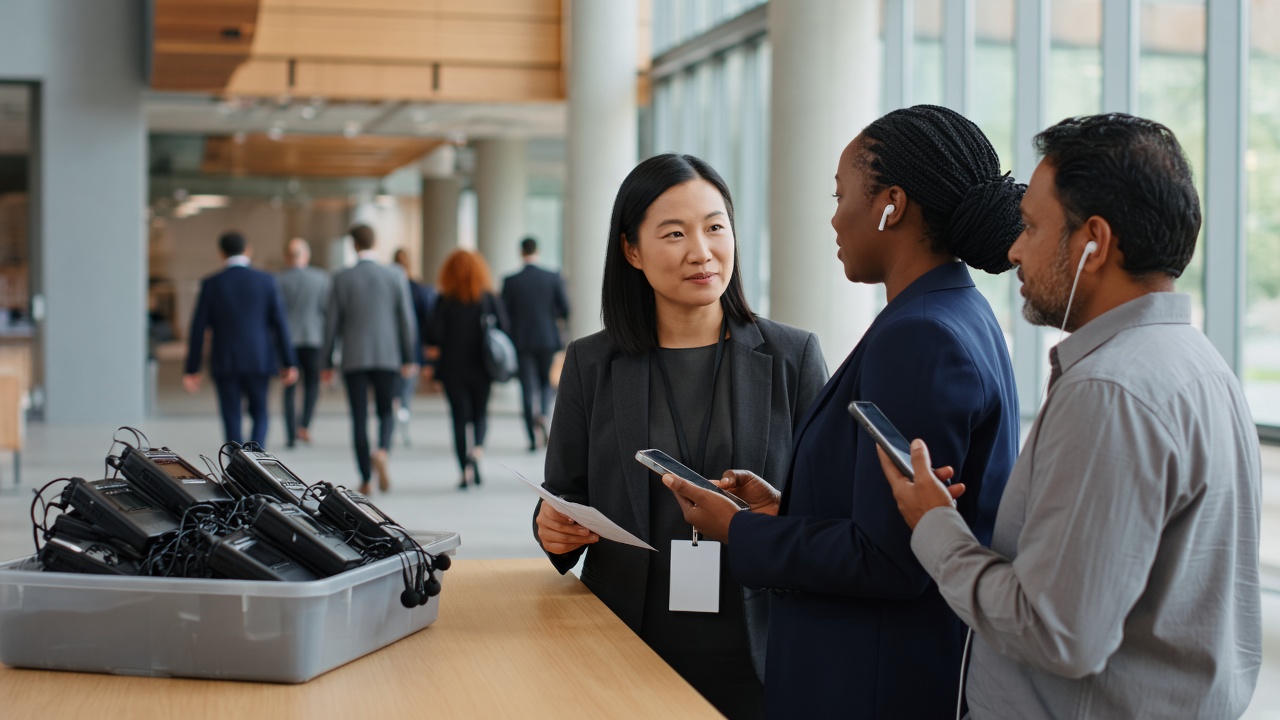
Two decisions planners tie together too early
Who translates can be a human in a booth, a human on a remote platform, or an AI pipeline that turns speech into captions and a second voice. How attendees listen can be a rented bodypack, a venue keypad, a phone they already carry, or a caption board on the wall.
Those axes move independently. Remote simultaneous interpretation often lands on a phone and is still a person. An infrared receiver almost always carries a human channel. An AI overlay almost always lands on a phone, because there is no radio pack for “pick Korean.” If you only compare “headsets versus an app,” you will buy a receiver fleet for a job that needed more languages, or you will put a QR code in a basement ballroom that cannot carry data.
Churches hit a simpler version of the same split—FM packs versus pew phones—in church translation equipment vs phones. A conference adds rental logistics, installed venue systems, overflow rooms, and a last-minute delegate whose language was not on the RFP.
1. Infrared or FM receivers and rented headsets
This is the picture most RFPs still assume. A transmitter in the room sends one language channel. Attendees collect a bodypack and an earpiece at a desk, sit within range, and return the kit on the way out.
What it does well is independence from guest Wi-Fi. Infrared and FM systems are built so the language channel does not compete with the venue’s attendee network. The gesture is familiar at diplomatic and medical meetings: you are handed a device, you put it on, you listen. Nobody asks you to unlock a phone.
What it costs is inventory. Every listener is a unit to charge, label, distribute, collect, and clean. Adding a language is not a setting. It is another interpreter assignment, often another transmitter, and another labeled set of packs. A person in the overflow hall is outside the radiator or the antenna. A surprise language on Tuesday morning has no pack and no voice.
Use rented receivers when the event already booked human interpreters, the room cannot be trusted for data, phones are restricted, or the audience will not take out a device. Do not use them as a default “multilingual” line item when you have not decided how many languages will actually be staffed.
2. Installed venue conference systems
Some hotels and convention centers already have discussion systems in the room: delegate microphones, language channels on a built-in keypad or a venue-owned receiver. The language still comes from interpreters. The hardware is part of the building.
What this does well is a formal assembly. Everyone uses the same microphone discipline. The channel selector is on the table. There is no QR conversation at the door.
What it does not do is travel with you. The next breakout in a classroom has no keypad. The hallway sponsor talk has no channel. You cannot add Vietnamese for a visiting delegation unless the venue and the interpreting team already provisioned it. An installed system is a reason to keep using the room’s language channels for the plenary you booked there. It is not a conference-wide language plan.
3. Human interpretation on the attendee’s phone (RSI)
Here the interpreter is still a person. The receiver changed address. The attendee scans a code or opens an event-app language button and hears a human voice a few seconds behind the stage.
That is still RSI, not an AI product with a QR code. ISO 24019 is the standard written for the platforms that deliver sound and picture to those interpreters. The phone is a headphone. It is not the linguist.
What RSI-on-phones does well is skip the charging case. Overflow rooms, hotel-room streams, and last-row seats can share the same channel without another radiator. You still pay for people. Conference simultaneous work is intense enough that teams usually work in pairs and rotate. Adding a language is still an interpreter booking.
Use this when you need a human voice, you do not want to run a receiver desk, and you can actually get a stable feed to the interpreter and back to the hall. Do not assume “on a phone” means “unlimited languages.”
4. AI live translation on the attendee’s phone
The host captures one speaker. Listeners open a link, pick a language, and read captions, hear an AI voice, or both. There is no bodypack per person and no interpreter pair per language.
Hope Translator is built for that pattern: live transcription and translation on the web and in the mobile apps, with broadcast (one speaker → many listeners) and solo / conversation (one-to-one) modes. Attendees join with a QR code or a link and do not create an account. Listeners pick from 100+ output languages on a session; plans set how many can run at once.
What this does well is the conference that cannot forecast every language, cannot staff a booth for every breakout, and still needs the public hour to be followable. A mixed-language row can sit together. Captions exist; a radio pack does not show text. The same join path can move from the keynote to a workshop if someone starts a session in that room.
What it cannot do is replace a qualified human for legal, medical, diplomatic, or other high-stakes talk. It also cannot invent a network. Guests need data or venue Wi-Fi. A few seconds of lag is normal in live speech, so a demo that expects word-by-word instant output is testing the wrong thing. Overlapping panelists will still break a transcript; that is an open-microphone problem, not a headset problem.
Use AI on phones when one clear speaker should reach many listeners in more than one language, including languages you will not staff. Keep a human on the sessions your counsel would not run through a caption overlay.
5. A shared caption board
A screen at the front of the room prints the talk. Sometimes it is English captions for hearing access. Sometimes it is one translated language on the wall.
What a board does well is a room where most people need the same text and should not look down at a phone. What it fails at is privacy, language choice, and audio. One wall cannot be Spanish and Korean. It also cannot follow someone into a breakout. A shared screen and a personal phone solve different display jobs. Neither is a receiver fleet, and neither is an interpreter.
Use a board as a complement—English captions for hearing access, or a single shared language in a small workshop. Do not call the event multilingual because the plenary had a caption screen.
A side-by-side that is actually a filter
| Decision | Rented receivers | Phones (RSI or AI) | | --- | --- | --- | | What the attendee holds | A venue-owned pack and earpiece | Their own phone (optional loaner earbuds) | | Who can translate | Almost always a human on that channel | A human (RSI) or AI overlay | | Adding a language | Another interpreter and usually more hardware | RSI: another interpreter. AI: the listener picks it | | Adding 200 more listeners | 200 more units | The join link does not change | | Works with no guest internet | Yes | No | | Captions as well as audio | Usually no | Often yes | | Overflow / hybrid seats | Only inside transmitter range | The same link, if the feed exists | | Desk labor | Issue, collect, charge, clean | Print a code; brief the door |
This is not a scorecard where phones should win every row. It is a map of what you are buying. Cost still sits on a different axis: published ranges for a human interpreter are $50–$200+ per hour, per language, often with 2–4 hour minimums, and equipment rental in our live translation cost guide is often $500–$5,000+. Hope Translator’s published starting plan is $20/month for 5 hours. Confirm current tiers on pricing. Headset rental and AI hours are not substitutes until you have named who is doing the interpreting.
The hybrid most conferences should consider
You do not have to pick a tribe.
Keep a small pool of loaner phones or wired earbuds—or a short stack of receivers—for people who will not use their own device, whose battery died, or who need assistive listening rather than another language. Let everyone else scan. The plenary can still use a venue language channel if the interpreters are already in the booth. Breakouts and hallway hours still need a path that does not depend on a charging case for four hundred people.
What you should not do is rent a receiver for every badge “just in case” while the languages you actually need were never staffed. Spare hardware in a tub is not access. Neither is a QR code on a slide nobody explains at check-in.
The rest of the day still matters. If only the keynote has a channel, attendees still miss the workshops and the floor questions; see what conference attendees miss when only the keynote is translated. Delivery hardware will not fix a language plan that ends when the main-stage lights go down.
Choose the path that matches this event
If the room has no usable data, phones are banned, and you already hired interpreters for one or two languages, rent the receivers and run them well.
If the next problem is a language that was not on the RFP, a breakout that will never get a booth, mixed-language colleagues in the same row, or a door team that cannot run a checkout desk, do not add another pallet of headsets. Put a clean speech feed into a broadcast and let people use the phones they brought.
Ready to try the phone path on a session you already run? Start at hopetranslator.com or compare plans on pricing.