Resources
How to Start a Demo Broadcast: Easy Steps
You can try Hope Translator’s live translation in minutes. Demo mode uses sample audio so you can start a broadcast, see real-time transcription and translation, and share a link or QR code for others to join from their phone. Follow these five steps to start a demo broadcast.
Step 1: Enable demo mode
- Open hopetranslator.com in your browser.
- Find and turn on Demo mode (or “Try demo”). Demo mode uses built-in sample audio instead of your microphone, so you can test the full flow without speaking or setting up a mic.
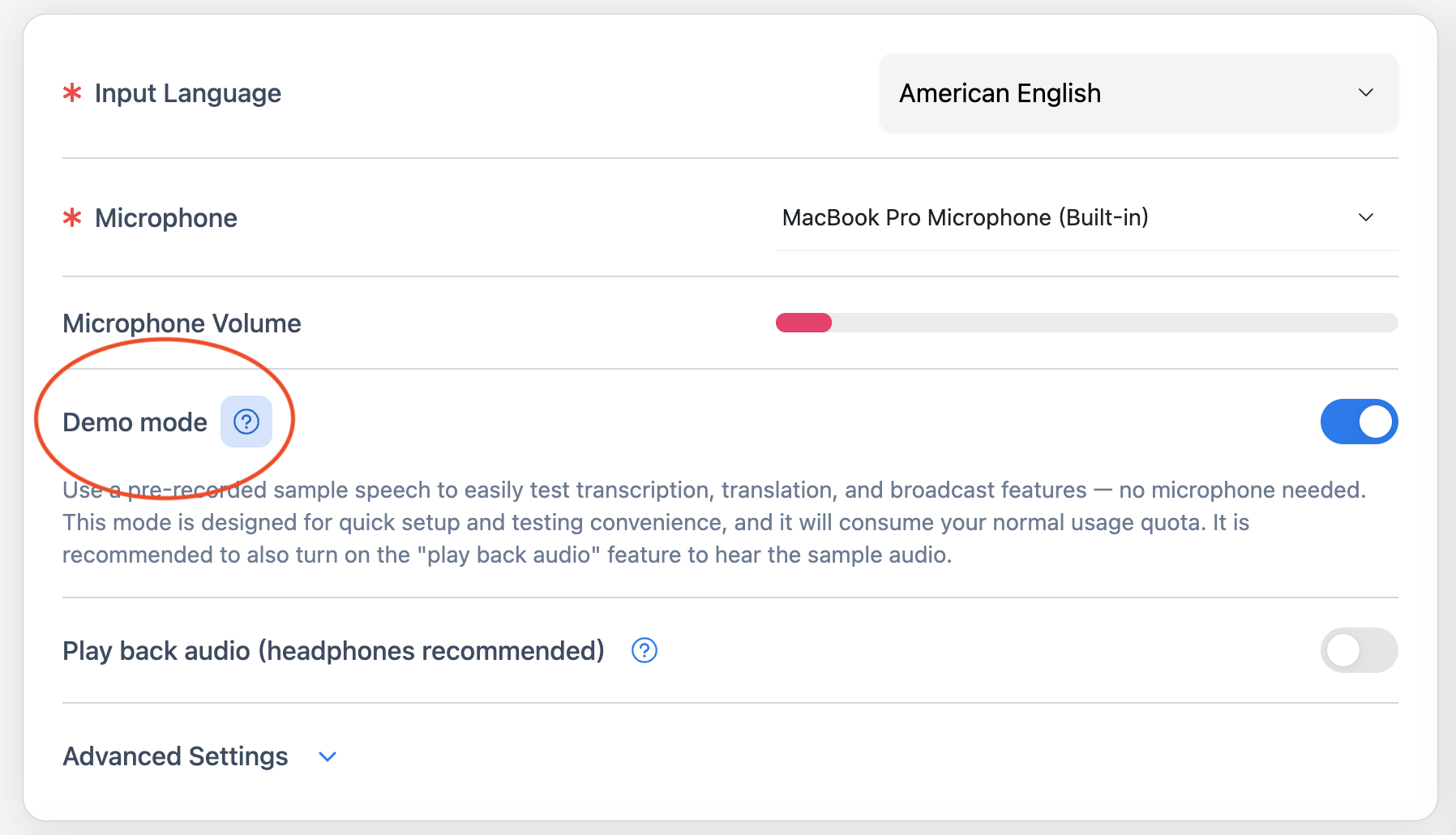
Step 2: Click the play button
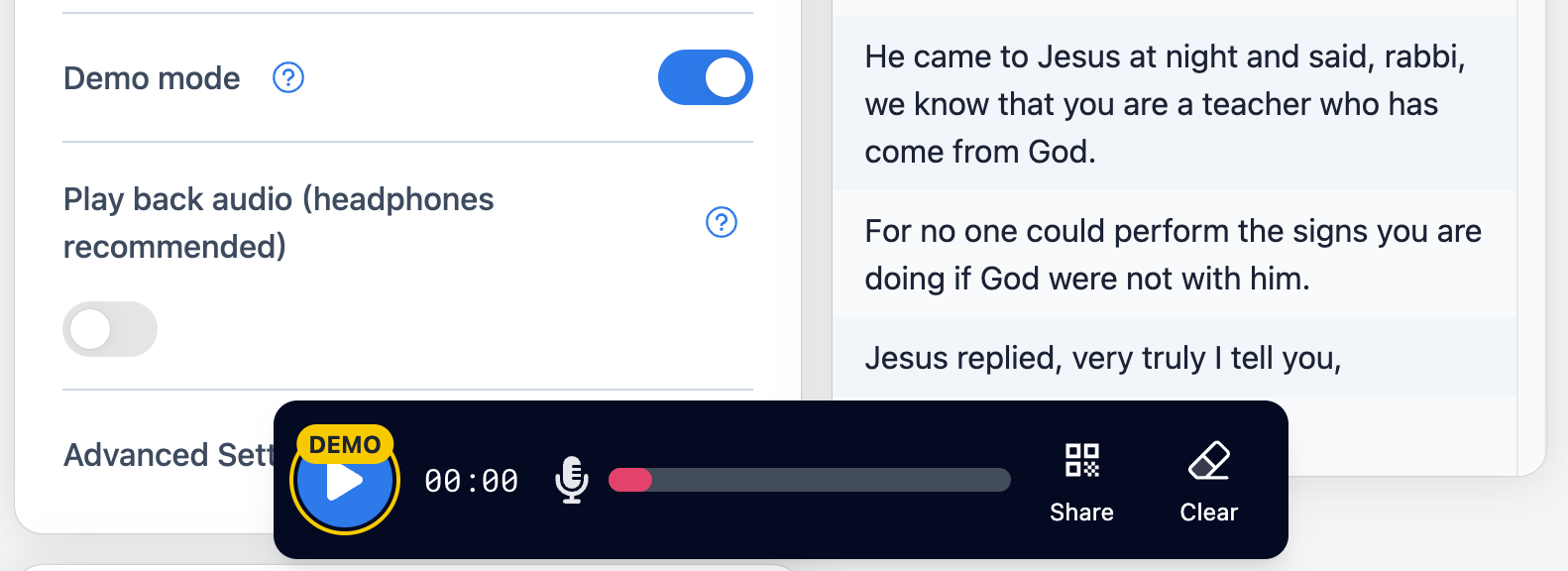
- Click the Play button to start the demo broadcast.
- The sample audio will feed into Hope Translator. Transcription and translation begin automatically.
Step 3: See real-time transcription and select an output language
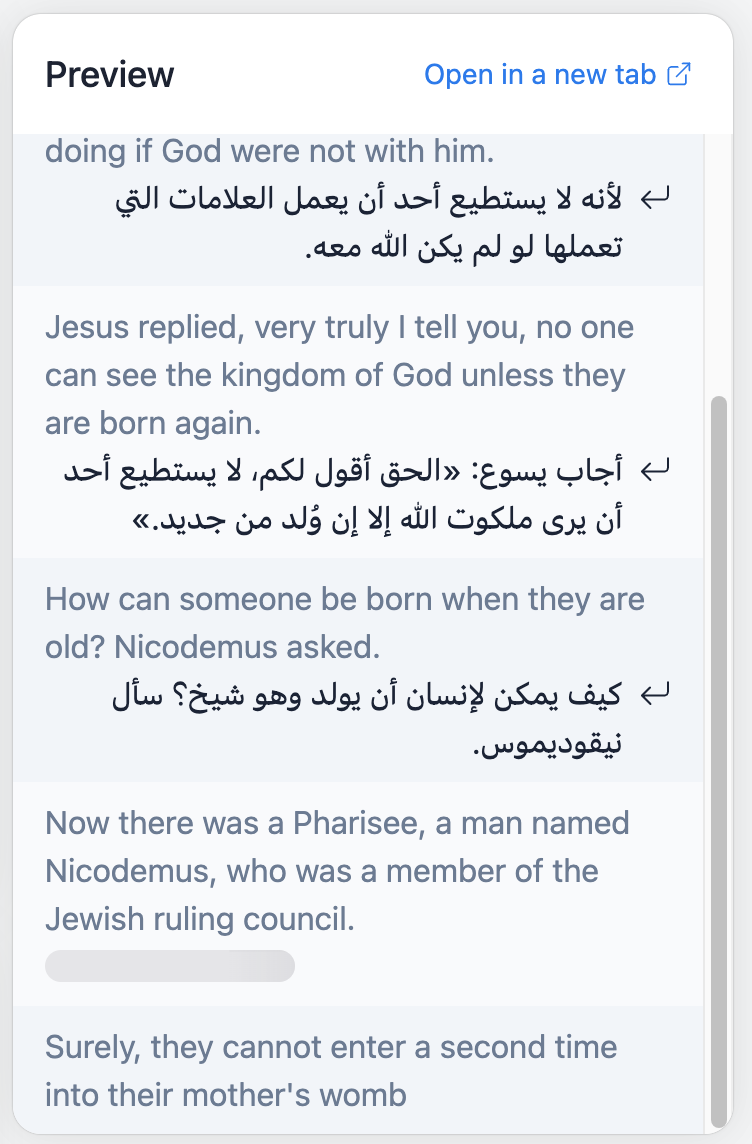
- Watch the preview panel for real-time transcription of the demo audio.
- Use the output language selector to choose the language you want for the translation (e.g. Spanish, Korean, Chinese). The translation appears in the preview as the demo plays.
Step 4: Click the share button
- When you’re ready to invite others, click the Share button.
- A QR code and a shareable link will appear. The QR code stays the same for the whole broadcast, so you can share it with anyone at any time. Anyone can use these to join your demo broadcast and pick their own output language.

Step 5: Scan the QR code from your phone
- On your phone, open your camera app (or a QR code scanner) and point it at the QR code on the screen.
- Tap the notification or link that appears to open the broadcast in your browser—no app download required to watch on the web. Or use the Hope Translator app (iOS or Android) to join and listen with AI voice.
- Select the language you want for the translation by tapping the Language button (with the flag icons) in the control bar.
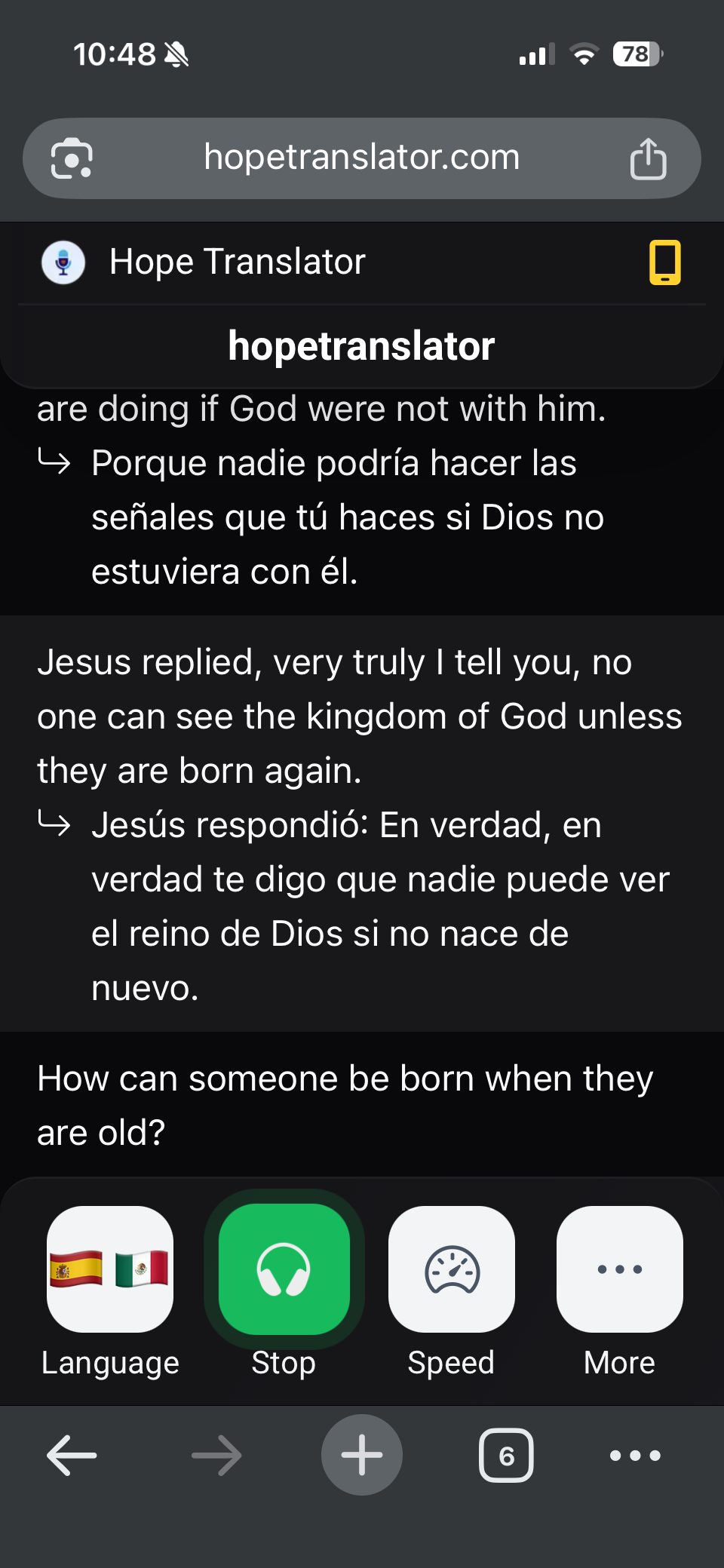
You’re done. Viewers who join will see the same real-time transcription and translation in the language they selected.
What’s next?
- Use your own microphone – Turn off demo mode and use your mic for a real broadcast. See How to Get Started with Live Translator for setup tips.
- Share with an audience – For full host and viewer flows, see How to Listen to Live Translation.
- Try English–Spanish – For a focused guide on listening to live English-to-Spanish AI translation, see Listen to Live English to Spanish AI Translation.
Conclusion
Starting a demo broadcast is simple: enable demo mode, press play, check the preview and output language, click share, and have others scan the QR code from their phone. No account or microphone is needed to try it. When you’re ready for a real session, switch off demo mode and follow our guides for web or mobile broadcast.
Ready to try it?
- Start a demo: Visit hopetranslator.com, enable demo mode, and follow the five steps above (no credit card required).
- Go live with your mic: Read How to Get Started with Live Translator for microphone and broadcast setup.
- Need help? Check our FAQ or contact us for assistance.