Google Translate vs Hope Translator for Live Events
It's a fair question: "Why should I pay for Hope Translator when Google Translate is free?" The answer depends entirely on what you're trying to accomplish. Both tools are powerful, but they're designed for completely different purposes. Understanding when to use each can save you time, frustration, and help you choose the right tool for your needs.

The Core Difference: Quick Text vs Live Speech Translation
Google Translate: Perfect for Quick Text Translations
Google Translate excels at what it's designed for: translating short text snippets quickly and easily. It's free, accessible, and works great for:
- Reading foreign websites - Understanding content in other languages
- Quick phrase translations - "How do you say 'thank you' in Spanish?"
- Short text messages - Translating brief communications
- One-off translations - Single sentences or paragraphs
- Personal use - When you just need to understand something quickly
Google Translate is free and perfect for these use cases. If you're just trying to understand a menu, read a sign, or translate a short email, Google Translate is your best option.
Hope Translator: Built for Live Speech and Events
Hope Translator is built for an entirely different purpose: real-time live speech translation for events, presentations, and long-form content. It's designed for situations where Google Translate simply cannot help:
- Live speeches and sermons - Real-time translation as someone speaks
- Broadcasting to audiences - Sharing translations with multiple people simultaneously
- Long-form content - Maintaining context across 30+ minute presentations
- Professional events - Conferences, workshops, and corporate presentations
- Multilingual audiences - When multiple people need different languages at once
Hope Translator is purpose-built for live translation scenarios where Google Translate's text-based approach falls short.
When Google Translate Is Enough
Google Translate is the right choice when:
✅ You need quick text translation - Reading a document, understanding a sign, translating a short message
✅ It's a one-time, personal use - Just you, just once, just text
✅ You don't need real-time translation - You can wait for the translation
✅ No audience sharing needed - It's just for your own understanding
✅ Short content - A few sentences or paragraphs, not long speeches
If this describes your needs, Google Translate is perfect—and free! There's no reason to pay for Hope Translator if you just need to translate a menu or read a foreign website.
When You Need Hope Translator
Hope Translator becomes essential when:
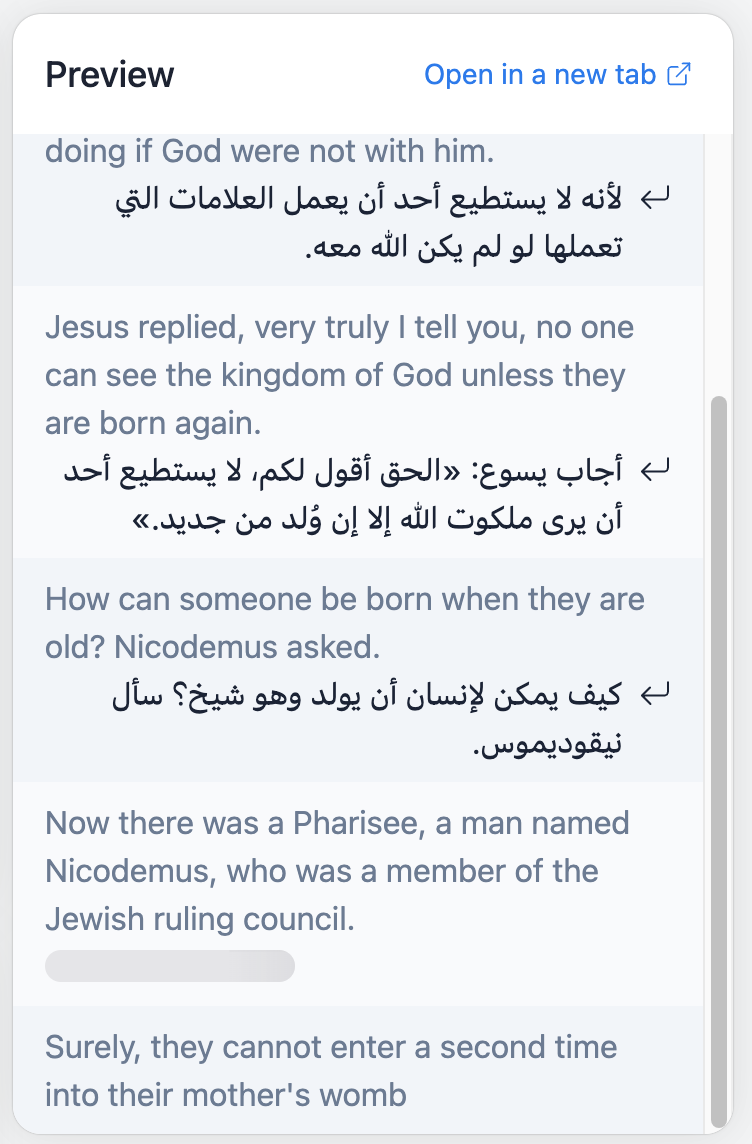
1. You Need Live Speech Translation
Hope Translator's Solution:
- Listens to live speech automatically
- Translates in real-time as the speaker talks
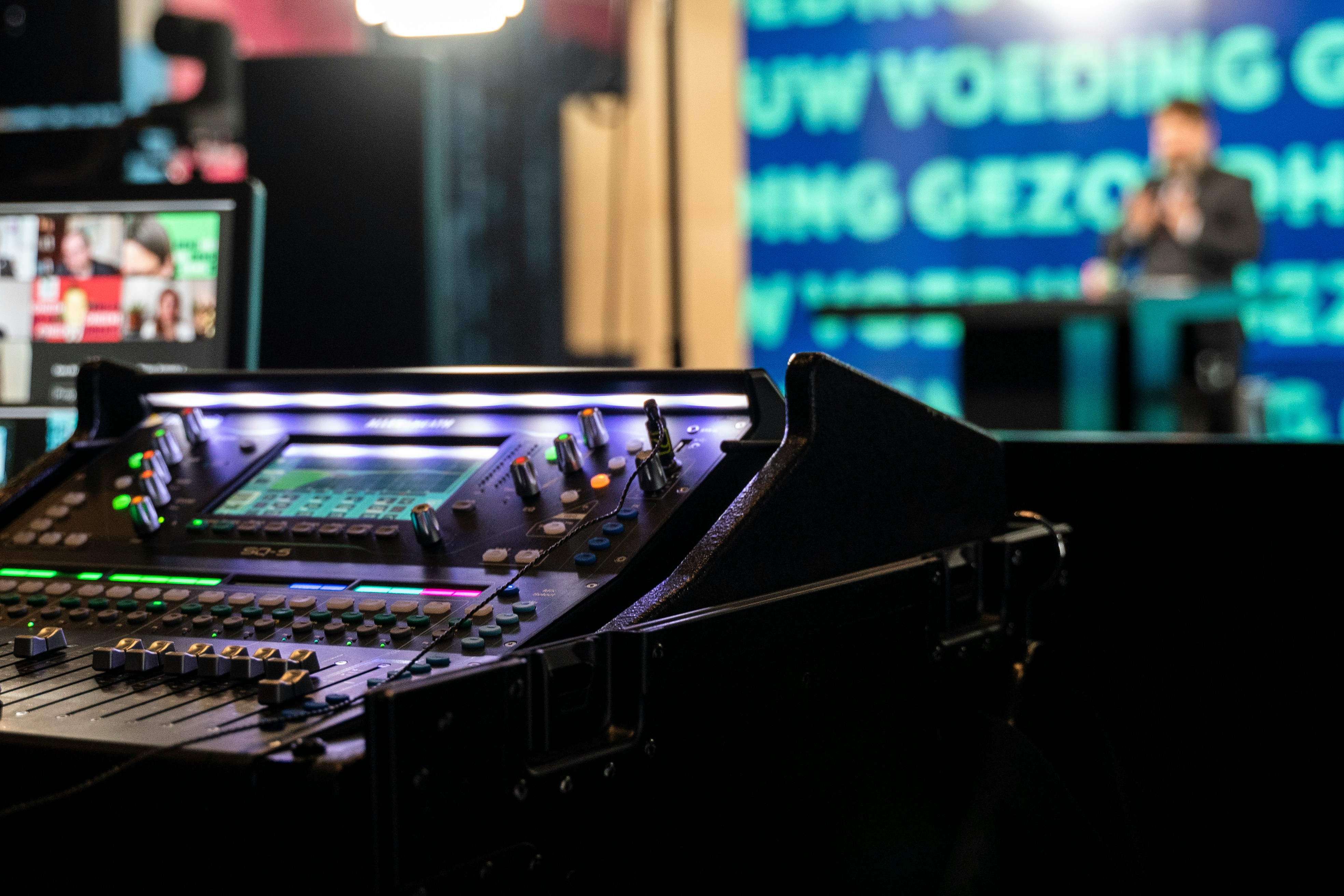
- Works with professional audio setups—connect to your soundboard, use wireless microphones, or use any external microphone for optimal audio quality
- Your audience can scan a QR code to read and listen to translations on their mobile devices
Real-World Example: You're giving a sermon to a multilingual congregation. With Hope Translator, your speech is automatically transcribed and translated in real-time, appearing on screen as you speak.
2. You Need to Broadcast to an Audience
The Problem with Google Translate:
- Google Translate is designed for individual use
- There's no way to share translations with an audience
- No way to synchronize translations across multiple people
Hope Translator's Solution:
- Generate a QR code instantly
- Your audience scans it and receives live translations automatically
- Each person chooses their preferred language independently
- One speaker, unlimited audience members—all receiving real-time translation
Real-World Example: You're speaking to 200 people at a conference. Some speak Spanish, some Vietnamese, some Korean. With Hope Translator, you start one broadcast, share a QR code, and everyone receives live translation in their preferred language automatically.
3. You Need Long-Form Content Translation
The Problem with Google Translate:
- Google Translate works sentence-by-sentence without context
- Long speeches lose coherence—references to earlier points don't make sense
- No memory of what was said 10 minutes ago
- Translations become disjointed and confusing for long content
Hope Translator's Solution:
- Maintains context throughout entire speeches
- Remembers references to earlier points
- Preserves themes and meaning across long presentations
- Produces coherent translations that read naturally
Real-World Example: You're giving a 45-minute theological lecture. With Google Translate, each sentence is translated in isolation, so when you reference "the point I made earlier," the translation doesn't connect. With Hope Translator, the entire speech maintains context, so references, themes, and meaning flow naturally throughout.
4. You Need Professional Features
What Google Translate Lacks:
- Limited to device's built-in microphone—no support for professional audio equipment, soundboards, or wireless microphones
- No screen overlay for presentations
- No integration with ProPresenter, OBS, or PowerPoint
- No mobile app with AI voice reading
- No session history or saved translations
- No customization options (fonts, colors, positioning)
What Hope Translator Provides:
- Professional audio input - Connect to soundboards, use wireless microphones, or any external microphone for crystal-clear audio capture
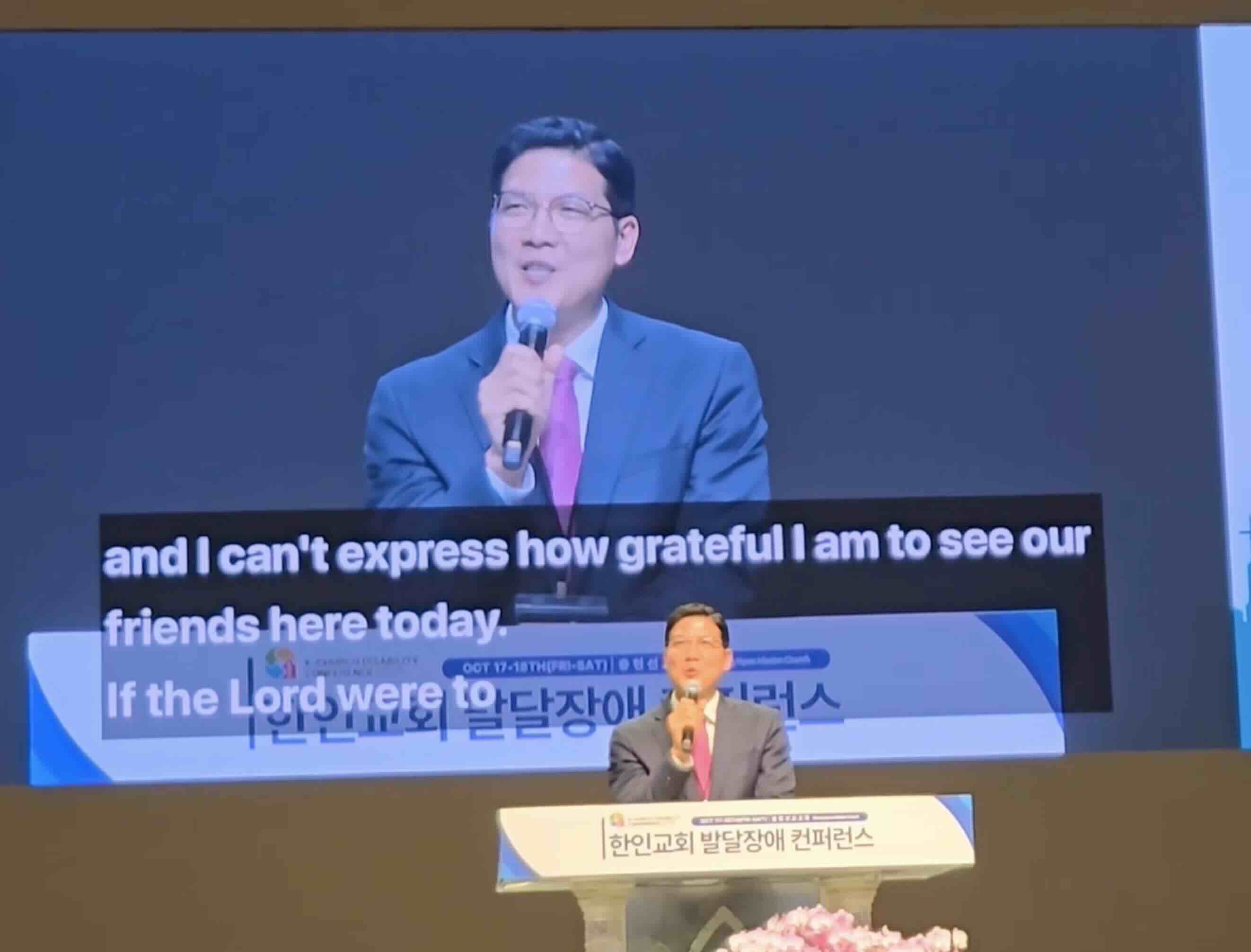
- Presentation screen overlay - Display translations directly on your presentation screen
- ProPresenter integration - Works seamlessly with church presentation software
- Mobile app - AI voice reading, QR code scanning, language switching
- Session history - Save and review translations later
- Customization - Adjust fonts, colors, positioning to match your brand
Real-World Example: You're presenting at a church service using ProPresenter. With Google Translate, there's no way to display translations on your presentation screen. With Hope Translator, translations appear as an overlay on your slides, perfectly integrated with your existing setup.
Real-World Scenarios
Scenario 1: Reading a Foreign Menu
Task: You're at a restaurant and want to understand the menu.
Google Translate: ✅ Perfect! Take a photo, translate instantly, free.
Hope Translator: ❌ Overkill. You don't need live speech translation for a menu.
Winner: Google Translate (it's free and perfect for this)
Scenario 2: Weekly Church Service
Task: You need to translate your sermon in real-time for a multilingual congregation of 100 people.
Google Translate: ❌ Impossible. Can't do live speech, can't broadcast, can't maintain context across a 30-minute sermon.
Hope Translator: ✅ Perfect! Real-time translation, QR code sharing, context preservation, screen overlay.
Winner: Hope Translator (Google Translate simply cannot do this)
Scenario 3: Conference Presentation
Task: You're giving a 45-minute technical presentation to an international audience. Some speak Spanish, some Vietnamese, some Korean.
Google Translate: ❌ Not feasible. Would require someone typing everything as you speak, then manually translating, then somehow sharing with the audience. Completely impractical.
Hope Translator: ✅ Ideal solution. Automatic real-time transcription and translation, QR code for audience access, each person chooses their language, translations appear as you speak.
Winner: Hope Translator (this is exactly what it's built for)
Scenario 4: Understanding a Foreign Website
Task: You want to read an article on a foreign language website.
Google Translate: ✅ Perfect! Browser extension or copy-paste, instant translation, free.
Hope Translator: ❌ Wrong tool. This is text translation, not live speech.
Winner: Google Translate (free and designed for this)
The Bottom Line
Use Google Translate when:
- You need quick text translation
- It's personal, one-time use
- You don't need live or real-time features
- Free is important and the limitations are acceptable
Use Hope Translator when:
- You need live speech translation
- You need to broadcast to an audience
- You're translating long-form content (sermons, presentations, lectures)
- You need professional features (screen overlay, mobile app, etc.)
- The cost is justified by the capabilities you need
Try Both and Decide
The best way to understand the difference is to try both:
-
Try Google Translate - Use it for quick text translations. It's free and works great for its intended purpose.
-
Try Hope Translator - Visit hopetranslator.com and use demo mode to experience live speech translation. No credit card required, no forms to fill out—just see how it works.
-
Compare the experience - You'll immediately understand why Hope Translator exists and when it's worth the cost.
Conclusion
Google Translate and Hope Translator aren't competitors—they solve different problems. Google Translate is perfect for quick text translations (and it's free!). Hope Translator is essential for live speech translation, broadcasting, and professional events.
The question isn't "Why pay when Google is free?" The question is: "What problem am I trying to solve?"
- Quick text translation? Use Google Translate—it's free and perfect.
- Live speech translation for events? You need Hope Translator—Google Translate simply cannot do this.
Both tools are valuable. Both have their place. Choose the right tool for your specific needs.
Ready to experience the difference?
- Try Hope Translator free: Visit hopetranslator.com and use demo mode (no credit card required)
- See it in action: Download the mobile app to experience AI voice reading and broadcast features
- Compare pricing: View our pricing plans to see how affordable professional live translation can be
Have questions about which solution is right for you? Check out our FAQ or contact us for personalized guidance.