Best Earbuds for Live Event Translation: What Attendees Should Wear to Hear AI Translation
Hope Translator turns a sermon, keynote, or class into real-time text and natural AI voice in each listener's language. The text part works on any phone screen. The voice part depends on something simple: what the listener puts in their ears.
This guide is for attendees, volunteers, and event organizers who want to know which earbuds or headphones work best for AI live translation. We cover wired vs wireless, latency, comfort for long sessions, budget options, listening on the phone app vs the web, and the cases where a shared wired church headset beats personal earbuds.
We don't rank specific models or publish review scores. Earbuds change every season, and almost any working pair will play translation audio. Instead, you'll get the criteria that actually matter and the categories worth looking at.
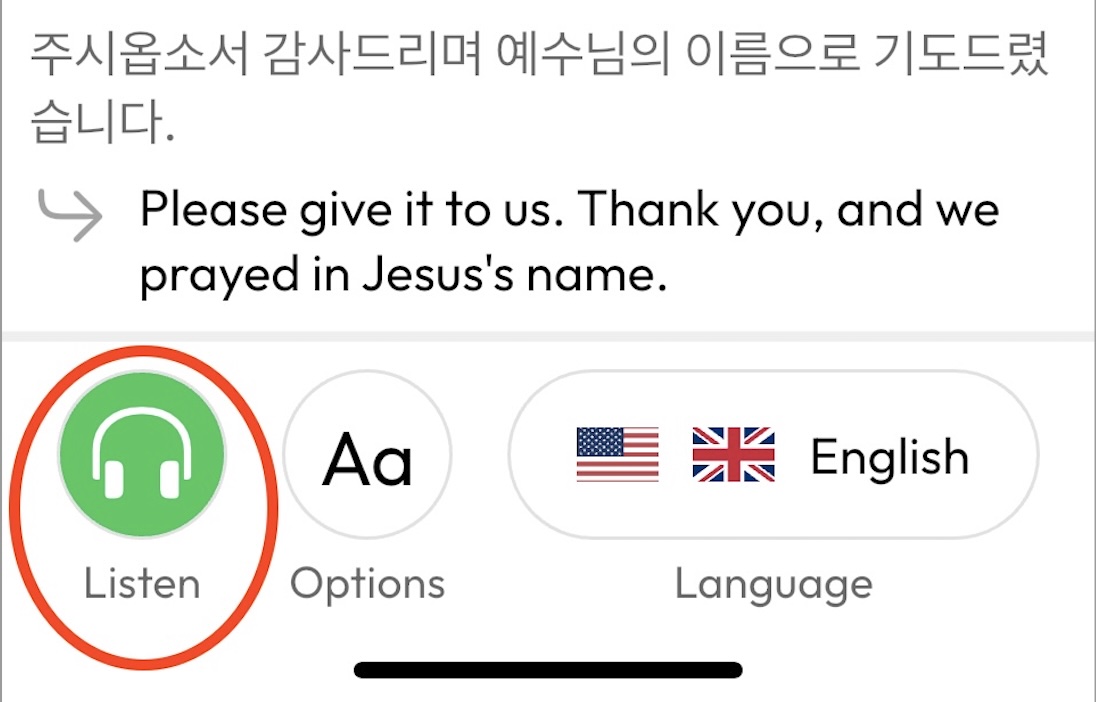
New to Hope Translator? Listeners don't need an account or an app. They scan a QR code, pick a language, and tap Listen. See How to Listen to Live Translation for the full walkthrough.
Quick Summary
| If you are… | Best choice |
|---|---|
| An attendee who owns earbuds | Bring what you have. Wired is simplest; wireless is fine if already paired and charged. |
| An attendee buying something new | Inexpensive wired earbuds with the right plug for your phone (USB-C, Lightning, or 3.5mm). |
| A church or event stocking loaners | Bulk wired on-ear headsets that are easy to wipe clean. Not in-ear earbuds. |
| A listener who wants to stay aware of the room | Use one earbud, or open-style earbuds that don't seal the ear canal. |
What Actually Matters When Listening to AI Translation
Live translation audio is speech, not music. That changes what you should care about:
- Voice clarity over bass. You want to understand words. Any earbud that handles a phone call handles AI voice.
- Reliability over features. The worst outcome is silence halfway through a talk because of a dead battery or a dropped Bluetooth link.
- Comfort for 45–90 minutes. Services and keynotes are long. Tight-fitting earbuds get painful.
- Awareness of the room. Many listeners want to hear the live music, laughter, and announcements too, not just the translation.
- Compatibility with the phone in your pocket. The plug (or the pairing) has to match the device you're actually holding.
Sound quality in the audiophile sense barely matters. Hope Translator's AI voice is clear, natural speech. Even a basic earbud will reproduce it well. For more on how the voice sounds, see Natural AI Voice for Live Translation.
Wired vs Wireless Earbuds for Live Translation
Wired earbuds: the safe default
Pros
- Plug in and audio starts. No pairing screens, no "which device is connected?" confusion.
- No battery to charge or forget.
- No interference, even with hundreds of phones in one hall.
- Cheap enough to buy spares or hand out.
Cons
- Cable can snag or tangle.
- You need the right plug for your phone, and some phones no longer have a headphone jack.
Wireless (Bluetooth) earbuds: fine if they're already yours
Pros
- No cable. Comfortable for moving around at a reception or outdoor event.
- Most people already own a pair and know how to use it.
Cons
- Pairing friction. If the earbuds last connected to a laptop or tablet, they may not auto-connect to the phone. Fix this before the talk starts.
- Battery. A pair at 15% won't last a 90-minute service.
- Crowded-room interference. Bluetooth is usually reliable, but a dense crowd of devices occasionally causes brief dropouts.
- Small extra delay. More on this below.
Verdict: If you own wireless earbuds and they're charged and paired, use them. If you're buying something specifically for translation, or stocking a church or event, go wired.
Does Latency Matter for AI Live Translation?
People often worry that Bluetooth latency will make translation "out of sync." In practice, it's a minor factor.
AI live translation works in stages: the speaker talks, the system transcribes a phrase, translates it, and produces speech. That pipeline already introduces a delay of a few seconds between the speaker and the translated voice. Hosts can tune this with the Sentence length setting (shorter phrases arrive faster; longer phrases are more complete), as described in the Hosting Broadcasts Manual.
Typical Bluetooth earbuds add somewhere around a tenth to a third of a second on top of that. Against a multi-second translation delay, it's not something listeners notice.
What does hurt the experience:
- A weak Wi-Fi or mobile data connection on the listener's phone (the live stream stutters).
- Earbuds disconnecting mid-session.
- Poor audio into the system on the host side. A good microphone matters far more than the listener's earbuds. See Best Wireless Microphone Setup for Live Translation and How to Use a Lavalier Microphone.
Bottom line: Don't buy expensive "low-latency" gaming earbuds for translation. Spend that money on the host's microphone instead.
Comfort for Long Sessions
Most translation listening happens during 45–90 minute talks, and sometimes all-day conferences. A few practical notes:
- One earbud is often enough. Speech is mono. Wearing a single earbud is comfortable, keeps you aware of the room, and halves battery drain on wireless pairs.
- Open or semi-open designs (the classic flat earbud shape, or "open-ear" clips) are more comfortable for long periods than deep-seal silicone tips, and let in room sound.
- Over-ear or on-ear headphones are the most comfortable for all-day use but bulkier to carry.
- Avoid noise-cancelling for live events. It blocks the music, the room reaction, and the person next to you trying to get your attention. If your earbuds have a transparency or ambient mode, turn it on.
Budget Options by Category
Rather than specific models, here are the categories that work well, roughly from cheapest to most flexible.
Basic wired earbuds with a 3.5mm plug
The classic. Inexpensive, available everywhere, and they work with any device that still has a headphone jack: many Android phones, tablets, and laptops. If your phone has no jack, a small USB-C-to-3.5mm adapter solves it and is worth keeping in your bag anyway.
Wired USB-C earbuds
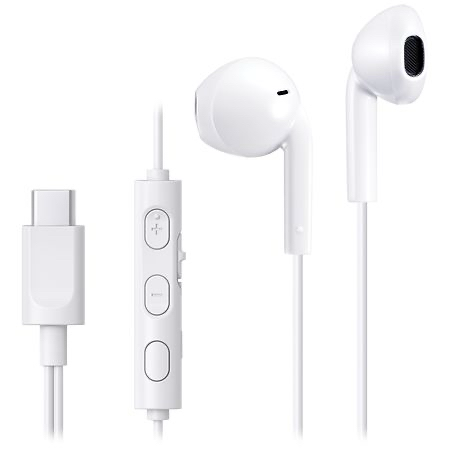
The best match for most modern phones (and recent iPhones). No adapter, no pairing, no battery. Low cost, so losing a pair isn't a big deal. If you're buying one pair specifically for listening to translation, this is the one.
Wired Lightning earbuds
For older iPhones with a Lightning port. Same plug-and-play benefits as USB-C. Check your phone's port before buying; newer iPhones use USB-C.
Bluetooth earbuds you already own
If they're charged and paired to your phone, they'll work. The caveats are all about reliability, not sound: charge them the night before, confirm they connect to your phone (not your laptop) before the talk starts, and consider using one earbud at a time to stretch battery life.
Bulk wired on-ear headsets (for organizers)
If you're a church or event team buying loaners, skip earbuds entirely and buy wired on-ear headsets with smooth plastic ear cups. They can be wiped clean between users, need no charging, and cost very little in bulk. Our dedicated guide covers exactly what to look for: Best Headsets for Church Translation.
Listening on the Phone App vs the Web
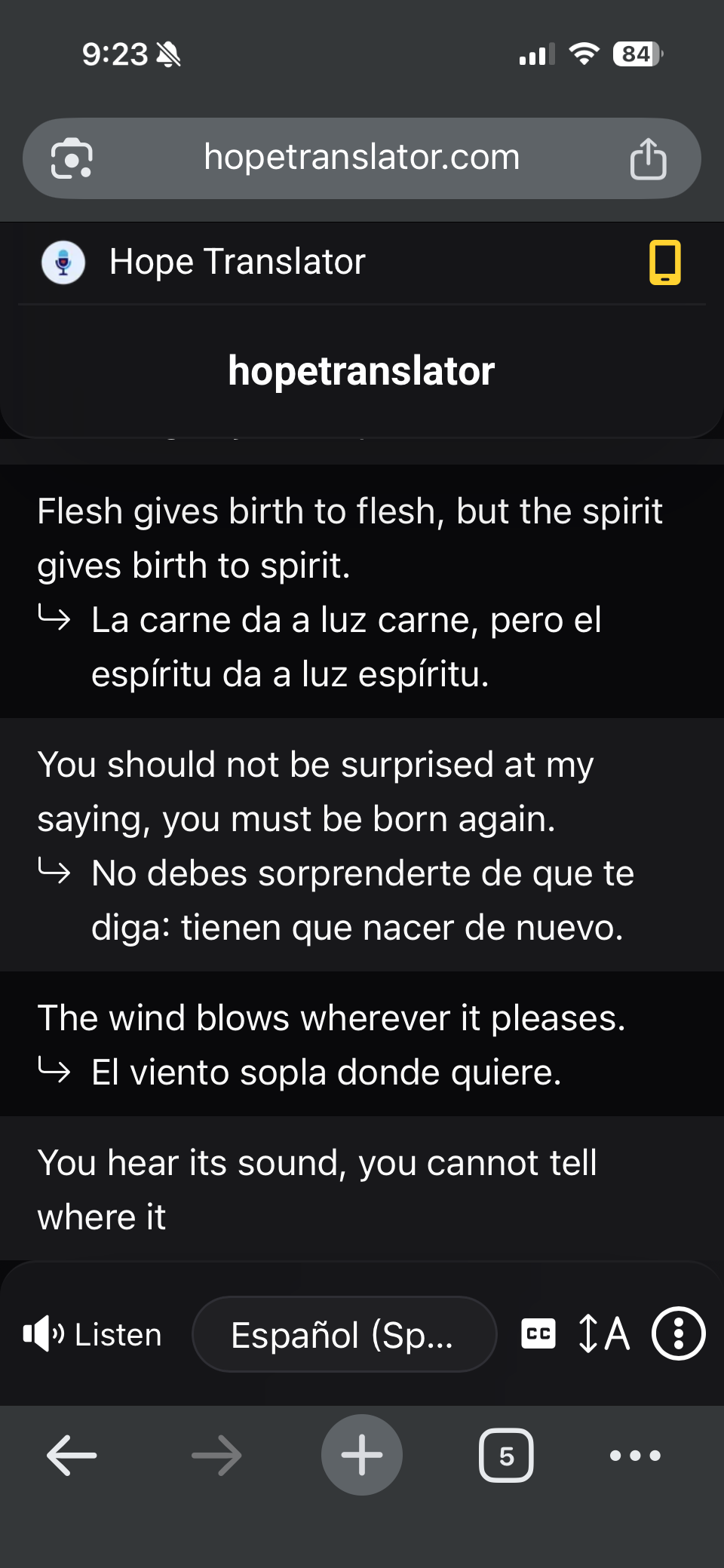
Both paths deliver the AI voice to whatever earbuds are connected to the phone. The differences are about convenience, not audio.
| Web (browser) | Hope Translator app | |
|---|---|---|
| How to join | Scan QR or open link; no download | Install free app, scan QR or open link |
| AI voice (Listen) | Yes | Yes |
| Best for | First-time visitors, one-off events | Regular attendees who join the same channel weekly |
| Earbud compatibility | Anything that works with the phone | Anything that works with the phone |
A few practical tips for either path:
- Plug in or pair first, then tap Listen. Some phones route audio to the speaker if earbuds are connected after playback starts. If that happens, pause and tap Listen again.
- Turn the phone volume up before the talk. Fumbling with the volume rocker in a quiet room is awkward.
- Keep the screen on or the app in the foreground if your phone is aggressive about background audio.
- Read along too. The translated text appears on screen even while you listen, which helps with names and numbers.
For the full comparison, see Mobile App vs Web App.
When a Church Wired Headset Is Better Than Personal Earbuds
Personal earbuds are the default for most attendees, but there are clear cases where a shared, church-owned wired headset wins:
- Visitors and newcomers. They may not have earbuds with them, or may be unsure about the process. A greeter handing over a headset and a QR card removes both obstacles.
- Elderly members. Deep-insert earbuds can be uncomfortable or hard to manage. A light on-ear headset is easier to put on and take off.
- Children's ministry and youth events. Kids rarely carry earbuds. See Live Translation for a Youth Group.
- Large one-time events such as weddings, graduations, and conferences, where many people will need translation at once and you want zero pairing issues. See Live Event Translation.
- Anyone whose phone has no headphone jack and no adapter. A church headset with a USB-C plug (plus a few adapters at the table) solves it on the spot.
Hygiene is the deciding factor for shared gear: on-ear headsets with hard plastic cups wipe clean in seconds; in-ear earbuds don't. That's why we never recommend earbuds as loaners. Full details, including sanitizing and a weekly workflow, are in Best Headsets for Church Translation.
A Simple Recommendation for Organizers
- Tell attendees to bring their own earbuds. Put it on the website, the bulletin, and the welcome slide alongside the QR code. Most people already have a pair.
- Stock a small set of wired on-ear loaner headsets (10–20 is plenty for most churches) plus a handful of USB-C and Lightning adapters.
- Print the QR code and place it where people sit, so joining takes seconds. See How to Share Live Translation with a QR Code.
- Invest in the host microphone, not listener gear. Clear audio in is what makes translation accurate. See Accurate Transcription and Translation.
FAQ
Conclusion
The best earbuds for live event translation are the ones that reliably play clear speech for an hour or more without fuss. For most attendees that means simple wired earbuds with the right plug, or the Bluetooth pair they already own, charged and paired ahead of time. For organizers, it means a small stock of wipe-clean wired on-ear headsets for visitors, and a real investment in the host's microphone.
Pair any of these with Hope Translator and every listener can hear the talk in their own language, no interpreter booth required.
Next steps
- Try it free – Open hopetranslator.com, enable demo mode, and listen with your own earbuds.
- Share with your audience – How to Share Live Translation with a QR Code.
- Stock loaner headsets – Best Headsets for Church Translation.
- Fix the input side – Best Wireless Microphone Setup for Live Translation.
- Need help? – FAQ or contact us.