Hope TranslatorHope Translator
  • Pricing
  • Solutions
  • Resources
  • Login
  • Try for Free
Simple. Easy. Risk-Free.

Translation Sunday Challenge

Try Hope Translator for one Sunday. If people love it, keep it. If not, no worries.

Sign Up & Start Challenge

Welcome Non-English Speakers

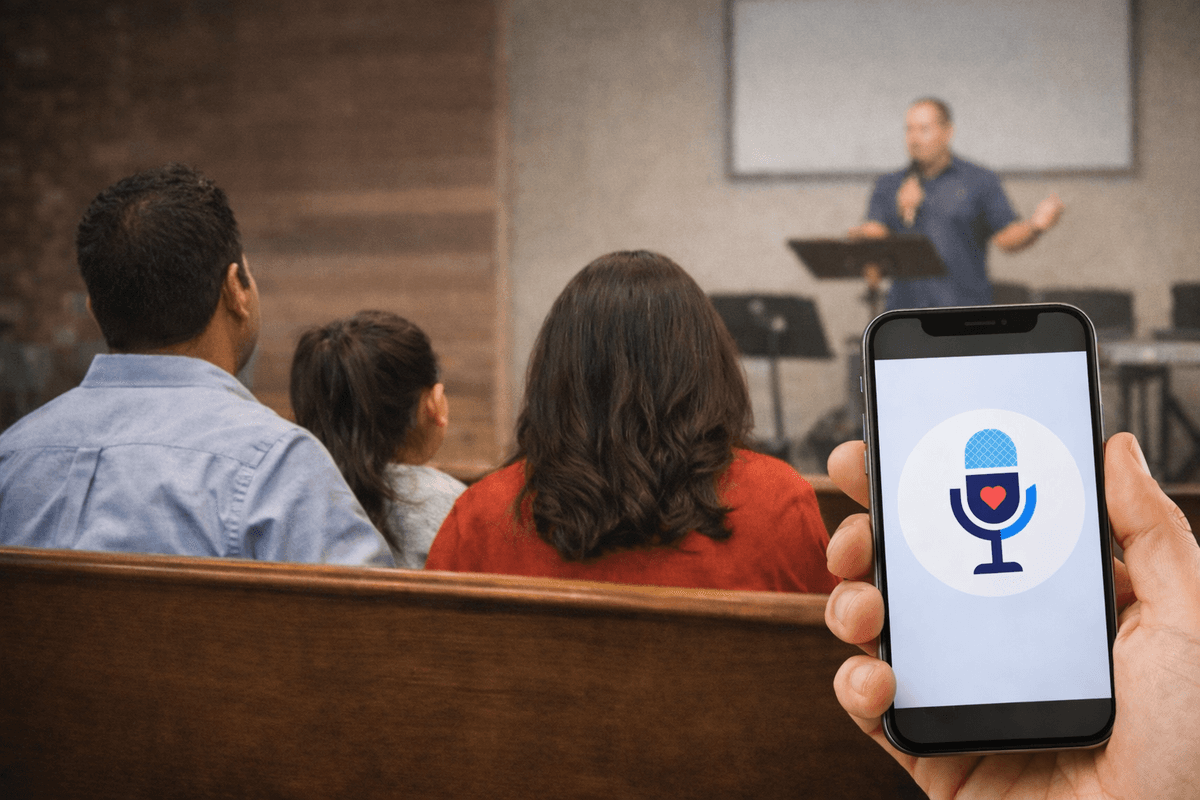
Person using smartphone for live translation during church service

Your church can make someone feel seen, loved, and included the very first Sunday they visit.

With live translation, non-English speakers don't have to wait to belong- they can read, listen, understand, and smile with everyone else from day one.

Why Try the Challenge?

Ridiculously Easy

Set up in under 60 seconds. No complicated software. Just sign up, connect a microphone, and share a QR code.

Zero Risk

Try it for one Sunday. If your congregation loves it, keep it. If not, cancel anytime. No long-term commitment.

See Results Immediately

Your congregation can access live translation instantly via QR code. No app downloads required.

3 Audio Setup Methods to Get Started

The key to great live translation is great audio quality. Choose the method that works with your equipment.
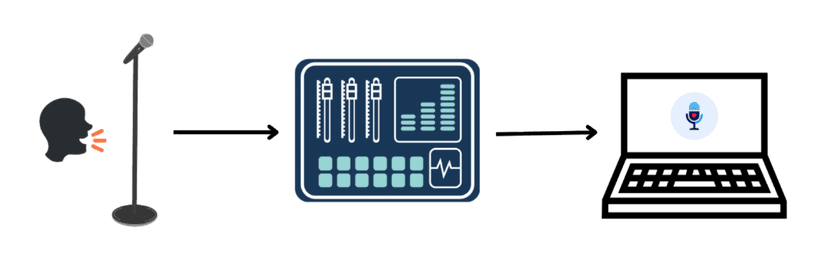
Professional audio setup for live translation

Professional Audio Setup

The gold standard for events, broadcasts, and professional presentations. Connects directly to your existing audio infrastructure.

What You Need:

  • Professional audio mixer or interface
  • Microphone(s) connected to your mixer
  • Laptop or computer
  • Hope Translator web app
  • Audio connection from mixer to computer (USB, XLR, or 3.5mm)
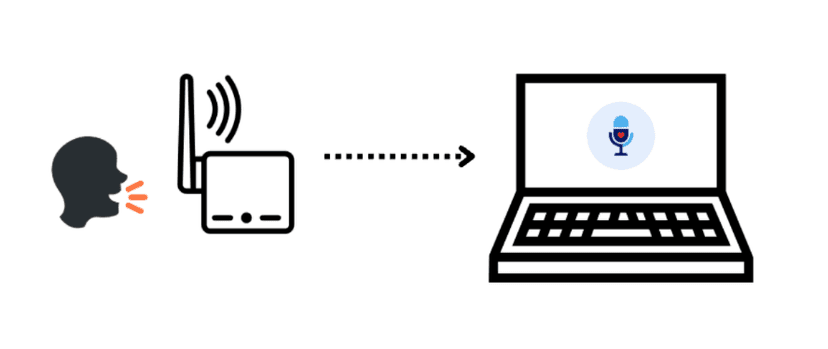
Wireless transmission setup for live translation

Wireless Microphone to Laptop

Ideal when there is no professional sound board or you can't access it. The quality is still good if your wireless microphone is high quality and has noise cancellation.

What You Need:

  • Wireless microphone (see our recommended wireless microphones guide)
  • Laptop or computer
  • Hope Translator web app
  • Receiver connected to your computer (if using wireless mic system)
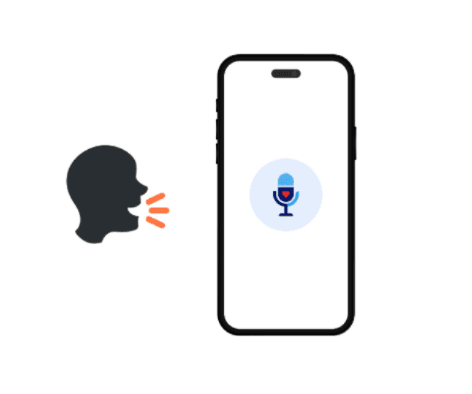
Direct smartphone setup for live translation

Direct Smartphone Setup

The simplest way to get started—perfect for quick tests, small groups, or when you need a portable solution.

3 Ways to Share Translations

Once you've set up your audio input and translations are processing, you need to share them with your audience.
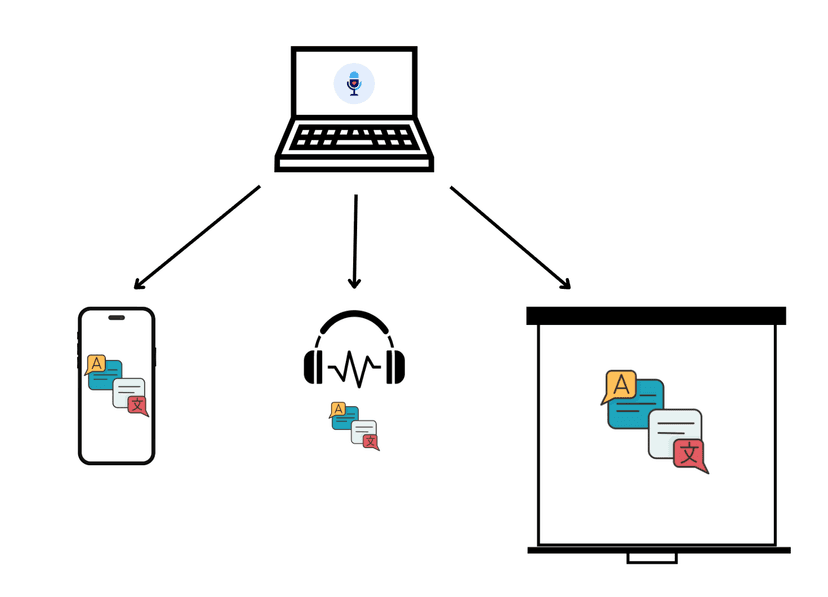
Three ways to share live translations: mobile devices, headphones, and large screen display
1

Mobile Devices (Smartphone/Tablet)

Perfect for individual audience members who want to read translations on their own devices.

How It Works:

  • Generate a QR code from your Hope Translator session
  • Audience members scan the QR code with their smartphones
  • Translations appear in real-time on their mobile devices
  • Each person can choose their preferred language independently
  • Works with any smartphone or tablet with a web browser

Best For:

  • Large audiences where everyone has a smartphone
  • Multilingual events where different people need different languages
  • Situations where you want to keep the main screen free for presentations
  • Events where people prefer reading on their own devices

How It Works

Get started in 4 simple steps

1

Sign Up (30 seconds)

Create your free account. No credit card required. You get 30 minutes free every month to test.

2

Connect Your Microphone

Plug in any USB microphone or use your device's built-in mic. Works with your existing sound system.

3

Share the QR Code

Display the QR code on your screen or print it. Your congregation scans it and instantly sees translations in their language.

4

See the Impact

Watch as your congregation follows along in real-time. If they love it, keep it. If not, cancel anytime.

Sign Up & Start Challenge

What Churches Are Saying

See how Hope Translator is transforming worship experiences

Loading...

Ready to Try It This Sunday?

Join the Translation Sunday Challenge. Try it for one Sunday. If people love it, keep it. If not, no worries.

Start with 30 minutes free every month- no credit card needed. Ready for more? Our plan starts at just $13.92 per month when billed annually. Get started today.

Sign Up & Start Challenge

See It In Action: Demo Mode

Try Hope Translator right now with our demo mode. No complicated setup — just click and see it work in under 60 seconds. Demo mode uses a pre-recorded sample speech so you can test transcription, translation, and broadcast features immediately. Sign up to get started.
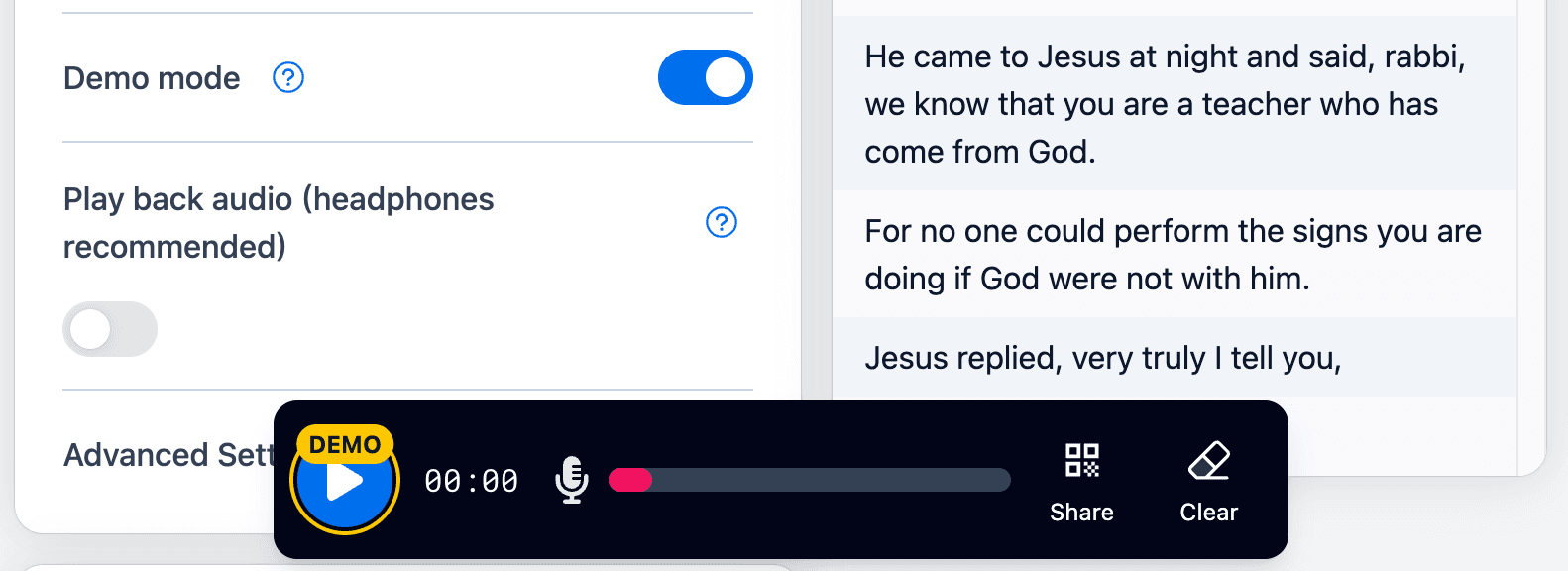
Sign Up & Start Demo
Demo mode player interface showing live transcription and translation

Frequently Asked Questions

Everything you need to know about the Translation Sunday Challenge
How easy is it to set up Hope Translator for our church?▼
Setup takes less than 60 seconds. Simply sign up, enable demo mode to test immediately (no microphone needed), or connect a microphone and start broadcasting. Your congregation can join instantly via QR code — no app download required.
Do congregation members need to download an app?▼
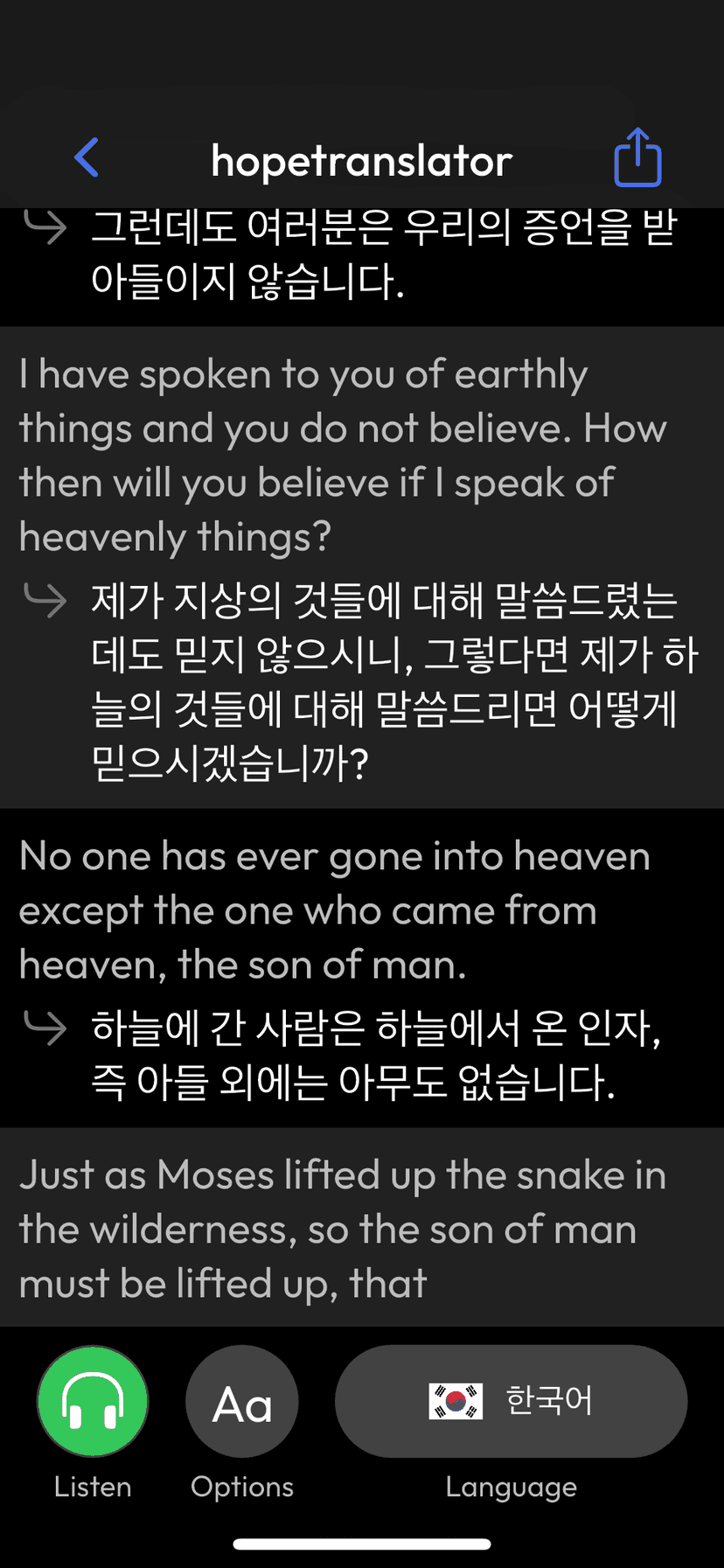
No! Your congregation can scan a QR code and access live translation directly from their web browser. No app download is required. However, we also offer a mobile app with additional features like listening on their device.
What languages are supported?▼
We support 60+ languages including Spanish, Chinese (Simplified and Traditional), Korean, Vietnamese, French, German, Japanese, Portuguese, and more — and we can always add more for you. Congregation members can select their preferred language in real-time.
Can I use it with my existing AV equipment?▼
Yes! Hope Translator works seamlessly with your existing setup. You can use OBS, ProPresenter, or any presentation software to display translations on your screens. It also works with your current sound system — just connect your microphone to your device.
What if I need more translation hours?▼
Choose a plan with more monthly hours, or use Translator Credits on Stream Scale and above after included time runs out. For custom hours and billing, contact us about enterprise options.
Is there a free trial?▼
Yes! All plans include 30 minutes free every month — no credit card required. You can also try demo mode right away to see it in action without any setup.
logoHope TranslatorContact UsTerms of ServicePrivacy Policy
© 2026 Hope Harbor, LLC. All rights reserved.

What You Need:

  • Smartphone (iOS or Android)
  • The Hope Translator mobile app
  • A quiet environment

Benefits:

  • No additional equipment needed—everyone uses their own device
  • Each person chooses their language preference
  • Private viewing—doesn't interfere with main presentation
  • Works for unlimited audience members
2

Headphones and Audio Output

Ideal for providing translated audio to individual listeners, especially useful for accessibility and personal listening.

Mobile app showing listen functionality with translated audio

How It Works:

  • Download required: Get the mobile app (AI voice reading is only available on the mobile app)
  • Connect headphones or audio output devices to your computer
  • Hope Translator can output translated audio (AI voice reading)
  • Listeners can hear translations in their preferred language
  • Works with wired headphones, Bluetooth devices, or audio distribution systems

Best For:

  • Accessibility needs (hearing translations while watching)
  • Quiet environments where audio is preferred over text
  • Personal listening experiences
  • Combining with visual translations for enhanced understanding

Benefits:

  • Hands-free listening experience
  • Can be used alongside visual translations
  • Works with various audio output devices
  • Great for accessibility and learning
3

Large Screen/Projector Display

Perfect for displaying translations on presentation screens, projectors, or large displays for the entire audience to see.

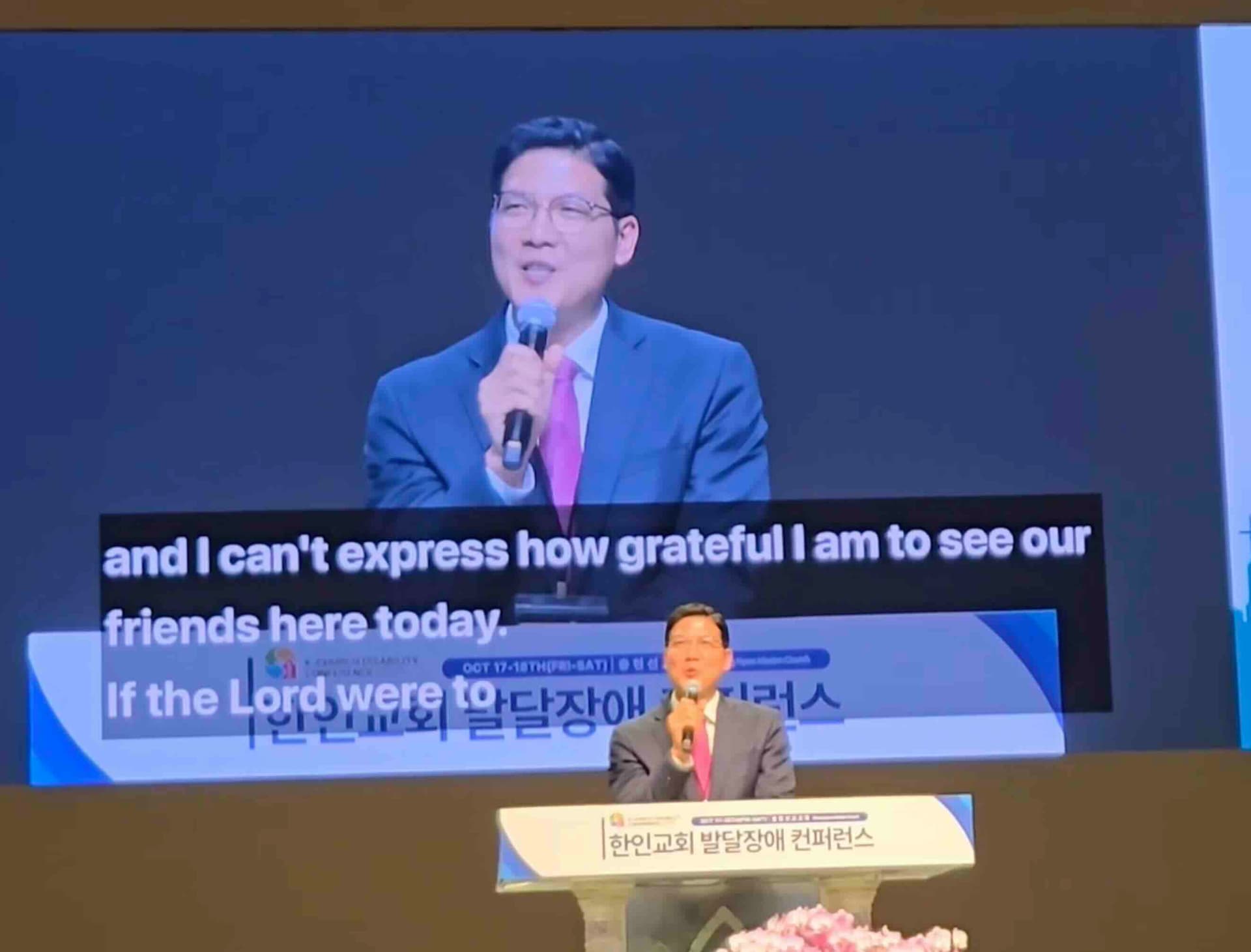
Live translation captions displayed on large screen during church service

How It Works:

  • Connect your computer to a projector, large screen, or second display
  • Use Hope Translator's screen overlay feature
  • Translations appear directly on your presentation screen
  • Can be integrated with ProPresenter, OBS, or other presentation software
  • Works as an overlay that doesn't interfere with your slides

Best For:

  • Church services and sermons
  • Conference presentations
  • Events where you want everyone to see the same translation
  • Integration with existing presentation setups

Benefits:

  • Visible to entire audience simultaneously
  • Integrates seamlessly with presentation software
  • Professional appearance
  • No need for audience members to use their own devices
Sign Up & Start Challenge